

Setting the Stage for a Massive OS Transition
As Windows 10 reaches its end of life this year, millions of users worldwide face a pressing deadline to upgrade their systems, with official support and security updates ceasing imminently, creating a monumental shift that poses a significant challenge. Countless devices may not meet the stringent hardware demands of Windows 11, the designated successor. The urgency to assess compatibility has never been higher, sparking curiosity about how many systems will be left behind in this transition.
This scenario brings tools like WhyNotWin11 into sharp focus, a community-driven solution designed to help users navigate the complex requirements of the new operating system. Unlike basic checkers, this tool promises detailed insights into hardware readiness, offering a lifeline for both casual users and technical experts grappling with upgrade decisions.
The following review delves into the intricacies of WhyNotWin11, exploring its capabilities, recent enhancements, and real-world utility. With the clock ticking on Windows 10 support, understanding such tools becomes essential for a smooth migration to the next era of computing.
In-Depth Look at Core Features
Comprehensive Hardware Assessment
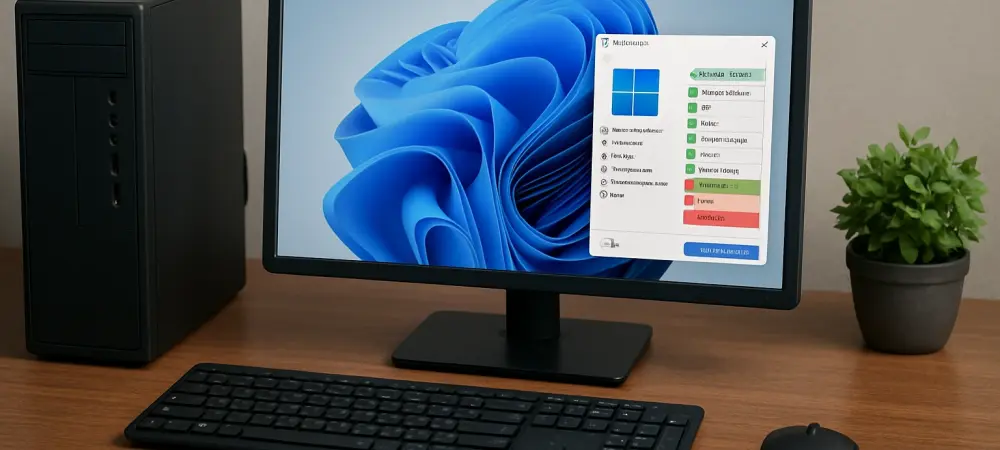
WhyNotWin11 stands out by providing a granular analysis of a system’s compatibility with Windows 11, far surpassing the simplistic pass-or-fail verdict of Microsoft’s own checker. It meticulously evaluates critical components such as the Trusted Platform Module (TPM), processor, graphics unit, and boot configuration, pinpointing exact areas of failure. This level of detail proves invaluable for users seeking clarity on why their device might not qualify for the upgrade.
Such specificity empowers individuals to make informed choices, whether to replace specific hardware or opt for alternative solutions. For instance, identifying a lacking TPM module could prompt a targeted fix rather than a full system replacement. This feature alone elevates the tool’s utility in a landscape where hardware limitations are a common barrier.
Speed and Functionality in Version 2.7.0.0
The latest iteration, version 2.7.0.0, introduces notable performance boosts, including accelerated detection processes that minimize wait times for users. Compatibility with Windows PE also makes it a go-to resource for IT professionals working in stripped-down environments during system builds or diagnostics. These enhancements ensure the tool fits seamlessly into varied technical workflows.
Technical refinements further enhance its efficiency, with optimized detection for processors and graphics cards prioritizing quick name-matching over slower diagnostic commands. Additionally, automatic updates to hardware compatibility lists via internet connectivity keep the tool aligned with the latest standards, ensuring accuracy as new devices and configurations emerge.
User Experience and Recent Enhancements
Aesthetic and Customization Options
Beyond its core purpose, WhyNotWin11 has rolled out visual upgrades with “2.0 Themes,” allowing users to personalize the interface through background images, color schemes, and themed elements. While this adds a layer of engagement, some might question its relevance for a utility focused on straightforward compatibility checks. The feature caters more to user preference than functional necessity.
Other tweaks include refreshed icons, improved hover descriptions for better clarity, and updated language support for broader accessibility. These small but thoughtful changes contribute to a polished feel, though they may not significantly impact the primary task of hardware evaluation. The balance between form and function remains a point of consideration for future updates.
Resource Efficiency and Smarter Operations
A less visible but equally important update lies in reduced system resource consumption during scans, ensuring the tool runs smoothly even on older hardware. Smarter string matching also improves the accuracy of component identification, cutting down on errors in compatibility reports. These behind-the-scenes improvements reflect a commitment to refining user interaction.
This focus on operational efficiency helps maintain a seamless experience, particularly for those running the tool on systems already strained by age or limited specs. Such optimizations underscore an understanding of the diverse user base relying on this software during a critical transition period.
Practical Applications in Diverse Scenarios
Serving a Wide Range of Users
WhyNotWin11 caters to an extensive audience, from everyday Windows 10 users unsure about upgrading to IT specialists managing bulk system migrations. Its detailed diagnostics provide clarity for individuals puzzled by hardware jargon, breaking down complex requirements into actionable insights. This accessibility bridges a gap often left by more generic tools.
For technical professionals, the tool’s compatibility with minimal environments like Windows PE proves indispensable. Whether setting up new machines or troubleshooting existing ones, having a reliable compatibility checker at hand streamlines the process, reducing guesswork and potential errors during critical tasks.
Empowering Targeted Solutions
The ability to isolate specific hardware shortcomings allows users to address barriers directly, rather than facing a blanket rejection of their system. For example, discovering an unsupported boot method might lead to a simple BIOS adjustment rather than a costly hardware overhaul. This precision transforms the upgrade process from a daunting obstacle into a manageable set of steps.
Such real-world applicability ensures that the tool remains relevant across varied contexts, whether for a home user with a single PC or an enterprise environment with dozens of machines. Its role as a diagnostic ally cannot be overstated in an era of rapid OS evolution.
Challenges and Constraints to Consider
Navigating User Complexity
Despite its strengths, WhyNotWin11 presents a learning curve for non-technical users who may struggle to interpret the detailed feedback on hardware components. Terms like TPM or secure boot might confuse those unfamiliar with system architecture, potentially limiting the tool’s effectiveness for a segment of its audience. Simplifying these explanations could broaden its appeal.
Additionally, the sheer volume of data provided might overwhelm casual users seeking a quick answer. While the depth of analysis is a strength, striking a balance between comprehensive reporting and user-friendly summaries remains an area for potential refinement in future iterations.
External Barriers Beyond the Tool’s Scope
A broader challenge lies in Microsoft’s strict Windows 11 requirements, which often exclude older but functional devices regardless of diagnostic accuracy. Even with precise insights from WhyNotWin11, many users may find their hardware ineligible, pointing to a systemic issue rather than a flaw in the tool itself. This reality tempers expectations of what any compatibility checker can achieve.
Community efforts continue to adapt the software to shifting standards and policies, but the fundamental hurdle of hardware obsolescence persists. This external constraint highlights the need for complementary strategies, such as advocacy for relaxed requirements or alternative upgrade paths, alongside diagnostic tools.
Looking Ahead at Compatibility and Adoption Trends
Evolving with New Standards
As Windows 11 requirements potentially shift in the coming years, WhyNotWin11 will likely need updates to reflect new hardware benchmarks or policy changes from Microsoft. The tool’s ability to integrate dynamic hardware lists suggests a foundation for such adaptability, ensuring relevance as technology progresses. Staying ahead of these curves will be crucial for sustained utility.
Speculation on additional features, such as deeper integration with system repair tools or predictive analysis for future compatibility, could further enhance its value. The community-driven nature of the project offers hope for innovative responses to emerging challenges in the OS landscape.
Role in Broader Windows 11 Migration
With Windows 10 support ending, the trend of accelerating Windows 11 adoption is undeniable, and tools like WhyNotWin11 will play a pivotal role in smoothing this transition. Their capacity to provide clarity amid uncertainty positions them as essential resources for millions navigating uncharted upgrade territory. This importance is likely to grow as deadlines loom larger.
The long-term impact of community-developed solutions also warrants attention, as they often fill gaps left by official offerings. By empowering users with knowledge and actionable data, such tools foster a sense of control during periods of significant technological upheaval, shaping how transitions are managed in the industry.
Final Verdict and Path Forward
Reflecting on the evaluation, WhyNotWin11 emerges as a standout resource, delivering detailed diagnostics and performance enhancements that outshine simpler alternatives. Its ability to cater to both novice users and seasoned technicians through version 2.7.0.0’s updates marks it as a versatile and reliable companion during a pivotal OS shift.
Looking beyond the review, users are encouraged to leverage this tool as a first step in planning their upgrade journey, identifying specific hardware gaps to address. For those facing insurmountable compatibility issues, exploring alternative operating systems or hardware upgrades becomes a practical next move. Additionally, staying engaged with community updates for WhyNotWin11 promises access to evolving features tailored to future needs.
The broader implication of this tool’s success points to a growing reliance on community innovation to navigate corporate-driven tech transitions. As a takeaway, stakeholders across the spectrum are urged to advocate for more inclusive hardware policies, ensuring that the path to modernization remains accessible to all, regardless of device age or spec limitations.