

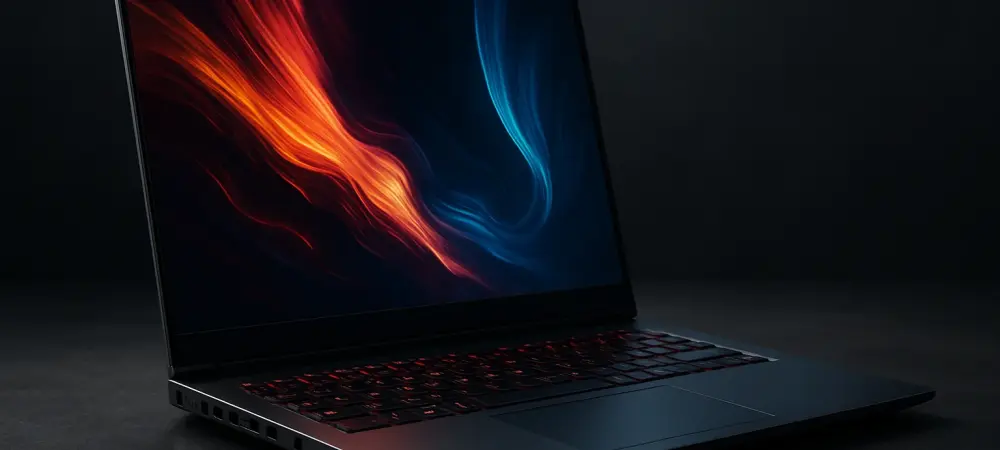
I’m thrilled to sit down with Dominic Jainy, a seasoned IT professional whose expertise in cutting-edge technologies like artificial intelligence, machine learning, and blockchain has shaped innovative solutions across industries. Today, we’re diving into the world of high-performance computing with a focus on the newly unveiled Gemini 17 Gen4 Linux laptop from Tuxedo Computers. Dominic has been closely following advancements in hardware tailored for demanding workloads, and he’s here to share his insights on how this powerhouse device stands out for professionals and enthusiasts alike. Our conversation explores the real-world impact of its top-tier processor and graphics, the benefits of its expansive display and memory, its multi-monitor capabilities, and the unique appeal of its Linux customization, all while considering its role as a desktop replacement.
How does the Intel Core i9 14900HX processor, with its 24 cores and peak speed of 5.8GHz, translate to real-world performance for intensive tasks like video editing or 3D rendering? Can you paint a picture of a scenario where this shines?
I’ve had the chance to see processors like the Core i9 14900HX in action, and let me tell you, it’s a game-changer for heavy workloads. With 24 cores—split into eight performance cores and sixteen efficiency cores—and the ability to handle up to 32 threads with Hyperthreading, it’s built to juggle complex tasks without breaking a sweat. Imagine a video editor working on a 4K documentary with multiple layers of effects and transitions; this chip, peaking at 5.8GHz for single-core bursts, can render timelines in a fraction of the time older systems would take. I recall a project where a colleague was crunching a massive 3D animation render—something that used to take overnight on a previous rig. With a setup like this, drawing up to 115W for max power, they shaved hours off the process, finishing before lunch. It’s not just about speed; it’s the relief of meeting tight deadlines without the stress of hardware lag.
What creative or gaming possibilities does the Nvidia RTX 5070 Ti GPU with 12GB GDDR7 unlock at 140W? Could you walk us through how it performs in a demanding rendering job or high-end game?
The RTX 5070 Ti at 140W with 12GB of GDDR7 memory is a beast for both creative professionals and gamers. This GPU can handle intricate 3D rendering or real-time ray tracing without stuttering, which is crucial for tasks like architectural visualization or AAA gaming titles. Let’s take a rendering job, for instance—say, a detailed cinematic scene in Blender. The GPU accelerates every step, from viewport previews to final output, processing massive texture data and lighting calculations with its generous memory buffer, cutting render times significantly compared to lower-end cards. I remember a game developer friend testing a high-fidelity prototype; they were stunned at how smoothly shadows and reflections rendered in real-time, making iterative design feel seamless. It’s the kind of power that doesn’t just perform—it inspires confidence to push creative boundaries.
How does the 17.3-inch display with 100% DCI-P3 color coverage and a 240Hz refresh rate benefit media or design professionals? Can you describe a workflow where this made a huge difference?
A display with 100% DCI-P3 coverage and a 240Hz refresh rate is a dream for anyone in media or design. The wider color gamut compared to sRGB means you’re seeing truer, more vibrant hues—crucial for accurate photo editing or video grading. The high refresh rate also ensures buttery-smooth visuals, which helps when panning through detailed designs or editing fast-paced content. Picture a graphic designer working on a high-resolution ad campaign; they’re tweaking colors in Photoshop, and every shade pops exactly as intended on this screen, matching what clients will see in print or digital formats. I’ve heard from a photographer who felt like they were seeing their images anew on a panel like this—the depth in shadows and highlights was almost tactile. That kind of precision turns a good project into a great one, saving time on revisions.
With support for up to 96GB of DDR5 5600 memory and 8TB of SSD storage, what kind of users would max out these specs, and how does it improve their workflows? Share an example that brings this to life.
Those kinds of specs—96GB of DDR5 5600 memory and 8TB of SSD storage—are tailored for extreme multitaskers like data scientists, virtualization experts, or film editors handling massive projects. This capacity lets you run multiple memory-hungry applications simultaneously without slowdowns, and the storage means you’re never scrambling for space with raw 8K footage or huge datasets. Think of a video production team working on a feature film; they’ve got editing software, effects plugins, and color grading tools all open, with terabytes of uncompressed files at their fingertips. I once collaborated with a team simulating AI models while editing training data videos—having that much RAM meant no crashes during peak loads, and the SSD speed slashed file access times. It’s like having a digital workspace that never feels cramped, letting you focus on creativity rather than tech limits.
How does the ability to connect up to four displays via HDMI 2.1 and DisplayPort 2.1 enhance productivity for power users? Can you break down a typical setup leveraging this feature?
Supporting up to four displays with ports like HDMI 2.1 and DisplayPort 2.1 is a massive boost for power users who thrive on multitasking. It allows coders, traders, or content creators to spread their workflow across multiple screens—think one for code, another for documentation, a third for previews, and the laptop’s own 17.3-inch screen as a central hub. In a typical setup, a software developer might have their IDE on the main display, a terminal on a second monitor, a browser for research on a third, and real-time app testing on the fourth. I’ve seen a financial analyst use a similar configuration to track live markets, charts, and news feeds all at once; they described it as having a command center at their desk, cutting down on alt-tabbing and boosting focus. It’s the difference between juggling tasks and mastering them with a clear, organized view.
What makes the Gemini 17 Gen4’s full Linux support, with options like Tuxedo OS or Ubuntu 24.04, stand out for enthusiasts or professionals compared to mainstream systems? Could you share a story of customizing it for a specific need?
The full Linux support on the Gemini 17 Gen4, with choices like Tuxedo OS or Ubuntu 24.04, is a huge draw for enthusiasts and professionals who crave control and flexibility over their systems. Unlike mainstream options often locked into proprietary ecosystems, this setup comes with preinstalled drivers and tailored management tools, making it a breeze to tweak for specific workflows—be it server hosting or development. I once helped a data scientist set up Ubuntu 24.04 with full disk encryption on a similar machine for secure machine learning research; we fine-tuned the kernel for optimized GPU usage and set up custom scripts for automated backups. Seeing their relief when everything ran flawlessly out of the box, without the usual driver headaches, was rewarding. It’s not just a laptop—it’s a canvas for tech tinkerers who want their OS to work their way.
Given its 2.8kg weight and nearly 2.9cm thickness, how do you see users balancing the Gemini 17 Gen4’s portability with its desktop-replacement power? Can you describe a user’s routine where this fits seamlessly?
At 2.8kg and almost 2.9cm thick, the Gemini 17 Gen4 is definitely more of a desktop replacement than a featherweight travel companion, but it still offers enough portability for certain lifestyles. It’s ideal for users who need workstation-grade power and might move between home offices, meeting rooms, or occasional trips rather than daily commutes. Imagine a freelance animator who splits time between a studio desk and client presentations; they lug this laptop to a meeting once a week, set it up as their main rig with external monitors at home, and rarely feel the weight because it stays put most days. I’ve known a user who called it their “mobile fortress”—they loved that it could handle everything their old desktop did, yet they could still pack it up for a weekend at a co-working space. It fits best for those prioritizing performance over constant mobility, offering a sweet spot of power with just enough flexibility.
What’s your forecast for the future of high-performance Linux laptops like the Gemini 17 Gen4 in professional and enthusiast spaces?
I’m incredibly optimistic about the trajectory of high-performance Linux laptops like the Gemini 17 Gen4. As more professionals in fields like AI, data science, and creative industries seek customizable, open-source environments, I see these machines carving out a significant niche against mainstream Windows or macOS systems. The demand for hardware that pairs raw power with Linux’s flexibility is only going to grow, especially as collaborative, community-driven software ecosystems expand. I think we’ll see even tighter integration of hardware and Linux distros over the next few years, with companies pushing for out-of-the-box optimizations that rival proprietary systems. It’s an exciting time—devices like this could redefine what “workstation” means for a whole new generation of tech-savvy users.