

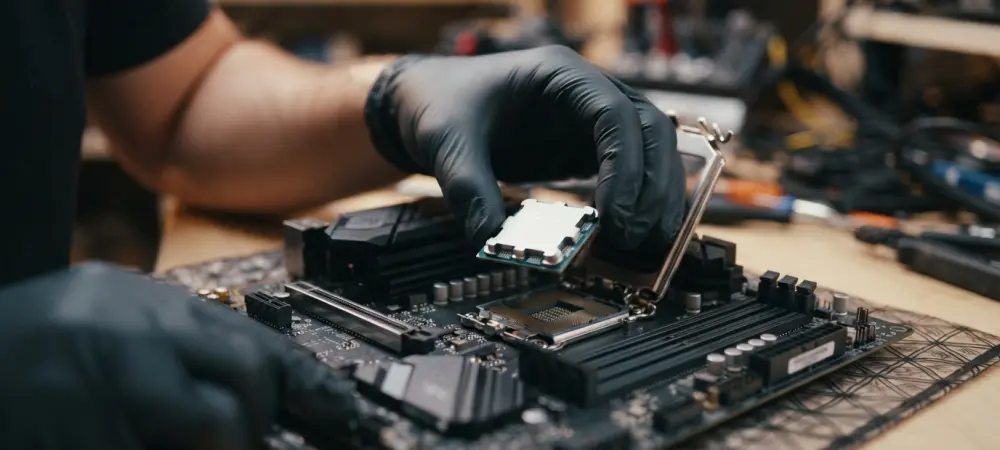
Modern connectivity like the PCIe 5.0 M.2 slot is a standout feature, though it sits alongside a more traditional and less visually polished BIOS environment. For enthusiasts and professional builders currently navigating the shift to Intel Core Ultra Series 2 processors, selecting a motherboard often involves a delicate dance between cutting-edge functionality and fiscal responsibility. The hardware landscape in 2026 demands high-speed storage and low-latency networking, yet the premium prices associated with high-end Z-series chipsets often push total system costs beyond the reach of many consumers. The ASRock B860 Challenger Wifi enters this arena as a potential solution, offering a bridge for those who desire the architectural benefits of Arrow Lake without the hefty investment. This ATX board positions itself as a pragmatic tool for mainstream users, aiming to deliver consistent results while intentionally omitting the aesthetic flourishes and extreme overclocking features typically reserved for enthusiast-tier products.
Hardware Capabilities: Performance and Port Constraints
Internal Throughput: Leveraging PCIe 5.0 and Wi-Fi 7
One of the primary advantages of this specific implementation of the B860 chipset is the allocation of lanes which prevents the common frustration of bandwidth sharing. In many entry-level designs, utilizing a secondary or tertiary drive slot often results in the halving of GPU bandwidth or the disabling of other peripheral ports, but here the architecture remains remarkably robust. Users have access to three separate M.2 sockets, with the primary slot leveraging the full speed of PCIe 5.0 to accommodate the latest generation of solid-state drives. This ensures that as storage technology continues to evolve throughout 2027 and 2028, the system will remain relevant for high-speed data access. Furthermore, the inclusion of Wi-Fi 7 and a 2.5 GbE local area network controller provides a high-performance foundation for wireless and wired communication, which is increasingly vital for remote collaboration and the rapid transfer of large-scale creative projects across diverse networks.
Thermal Regulation: Managing VRM Heat Under Load
Thermal management and power delivery represent the most critical testing grounds for any motherboard tasked with supporting the Intel Core Ultra 270K Plus. The B860 Challenger employs a more modest Voltage Regulator Module configuration than its Z-series counterparts, which naturally raises questions about its ability to maintain sustained performance under heavy multi-threaded loads. During rigorous empirical testing, the power delivery system proved surprisingly capable, successfully driving the processor through demanding benchmark cycles without triggering thermal throttling mechanisms. However, it is important to note that the components operated at significantly higher temperatures than what is typically observed on premium boards with massive, over-engineered heat sinks. This reality places a greater emphasis on the user’s choice of computer chassis, as the lack of aggressive onboard cooling for the VRMs means that system stability is heavily dependent on maintaining high internal airflow to dissipate heat.
User Experience: Software and System Longevity
Interface Management: Modern Tools and Legacy BIOS
The software side of the experience presents a dichotomy between modern utility and an aging interface design that feels disconnected from the hardware’s capabilities. While the BIOS is fully functional and offers all the necessary controls for memory profiles and basic hardware monitoring, its visual presentation remains rooted in a previous generation of design philosophy. Navigating the menus can feel less intuitive for those accustomed to the polished, high-resolution graphical interfaces provided by competing manufacturers. This aesthetic gap does not impact the stability or performance of the system, but it does highlight where cost-saving measures were implemented during the development process. For many, the BIOS is a tool used only during the initial setup phase, making its lack of visual flair a minor inconvenience. Nevertheless, as the industry moves toward more user-friendly and streamlined pre-boot environments, the contrast between the board’s advanced hardware features and its utilitarian interface becomes more apparent.
Final Considerations: Strategic Recommendations for Builders
The successful implementation of the Core Ultra series on a budget-oriented platform proved that high-end performance did not always require a high-end price tag. Builders who prioritized a balanced system found that investing in superior cooling solutions for the chassis effectively neutralized the thermal challenges posed by the leaner power delivery components. This approach transformed the motherboard into a reliable centerpiece for a modern build, provided the user accounted for the 5 Gbps USB speed cap in their workflow. Moving forward, the most effective strategy involved utilizing the primary PCIe 5.0 slot for a lightning-fast boot drive while relying on the integrated Wi-Fi 7 for high-speed data transfers, bypassing the limitations of the physical USB ports. For those seeking a long-term solution, it was essential to verify that peripheral needs aligned with the available connectivity. Ultimately, the transition to the latest Intel architecture was achieved most efficiently by focusing on these foundational requirements rather than seeking superficial aesthetic upgrades.