

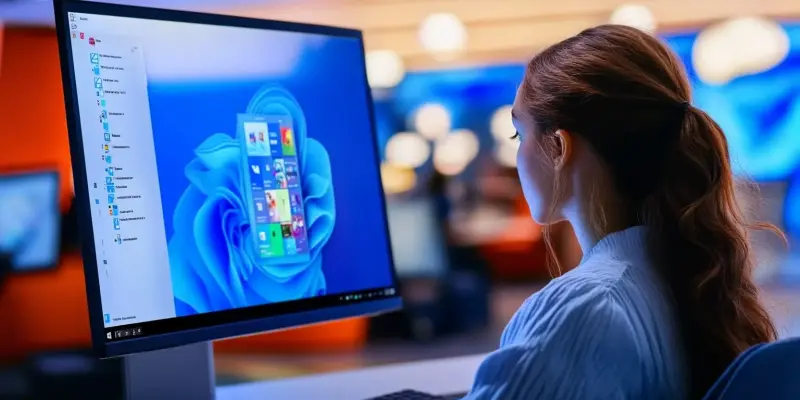
The launch of Windows 11 has been met with mixed reactions, particularly regarding its Start menu.Many users find the new Start menu design to be limited in functionality and customization options, leading to widespread dissatisfaction. To address these issues, numerous third-party applications have emerged, offering enhanced Start menu experiences. This article explores the best of these alternatives.
User Dissatisfaction with Windows 11 Start Menu
The initial release of Windows 11 brought a revamped Start menu that, contrary to expectations, disappointed many users.The new design was criticized for its clunky layout and lack of customizability. Unlike the well-loved menus in Windows 7 and 10, the Windows 11 Start menu didn’t meet user needs effectively. Users found the menu to be less intuitive and more cumbersome, causing frustration and prompting them to seek alternatives.This dissatisfaction was further amplified by the seemingly slow pace of enhancements from Microsoft.
Microsoft’s response to user feedback has been relatively slow. While some minor adjustments, such as the addition of folders, were made in late 2022, significant overhauls were not expected until recent updates.This gradual approach has left many users feeling unheard and impatient for more rapid improvements. The ongoing frustration with the default Start menu has fueled the search for more immediate solutions, leading to a surge in the popularity of third-party alternatives.
The Need for Third-Party Solutions
Recognizing the limitations and slow update pace from Microsoft, many users turned towards third-party alternatives. These applications fill the gap by offering customizable and user-friendly Start menus that significantly enhance Windows 11 usability. Users are drawn to these alternatives for their ability to bring back familiar and functional elements that were lost in the transition to Windows 11.The demand for a more personalized and efficient Start menu experience has never been higher.
Third-party solutions address specific user needs that the default Start menu fails to meet, such as better organization, easier access to frequently used applications, and more aesthetic customization options. These alternative programs often offer features that Microsoft has yet to implement, providing users with a more satisfactory and enjoyable computing experience. By exploring these third-party options, users can tailor their Start menus to better suit their workflows and preferences, ultimately leading to greater productivity and satisfaction.
Start11 by Stardock
Start11 by Stardock is a popular choice among third-party Start menu replacements. Priced at $9.99, it offers seven different Start menu layouts, including traditional and modern styles. Users appreciate the extensive customization features, which allow them to tweak the look, layout, and even the behavior of the Start menu to their liking. One of the notable features of Start11 is its ability to revive the familiar two-column Start menu of Windows 7 while also providing options that blend old and new styles.In addition to the various menu styles, Start11 offers a range of settings to adjust the Taskbar’s appearance and behavior. Users can modify the Taskbar’s color, transparency, size, and position, as well as control the grouping of Taskbar buttons. This level of customization extends to adding or removing shortcuts, configuring the All Apps list, and even renaming, moving, and deleting folders and shortcuts directly from the Start menu.Overall, Start11 provides a comprehensive solution for those looking to enhance their Windows 11 experience with more flexibility and control over their Start menu and Taskbar.
StartAllBack
Another notable alternative is StartAllBack, priced affordably at $4.99 per license.StartAllBack revives the classic two-column layout and provides various themes like Proper 11, Kinda 10, and Remastered 7. These themes allow users to choose between a more traditional look or a modernized version of the familiar Start menu structure. The customization options in StartAllBack extend beyond the Start menu, offering extensive adjustments for the Taskbar and File Explorer as well.StartAllBack allows users to tweak the size of menu icons, display modern apps in specific folders, highlight newly installed programs, and choose whether right-side shortcuts appear as links or menus. The Taskbar customization features include custom Start button images, visual style options, and flexibility in positioning.File Explorer enhancements include interface choices between the Ribbon and command bar, enabling classic search boxes and restoring context menus from Windows 10. With its simplicity and effectiveness, StartAllBack stands out as a robust solution for those dissatisfied with Windows 11’s default settings.
Open Shell Menu
Open Shell Menu stands out as a free and open-source option for users seeking third-party Start menu alternatives. This application offers different layout choices, such as one-column, two-column, and the Windows 7 style. Despite being free, it provides valuable customization options for the menu and Taskbar, presenting itself as a competent competitor to its paid counterparts. Downloadable from its GitHub page, Open Shell Menu has garnered a large user base due to its simplicity, effectiveness, and cost-free nature.The program provides customization for how the menu is triggered, whether recent or frequently used programs are shown, shutdown button behavior, and the display of the Search box. Skin options allow adjustments in font and icon size, catering to users’ aesthetic preferences. In addition, Open Shell Menu allows changes to the Taskbar’s size, color, and opacity, making it a versatile tool for enhancing the overall Windows 11 experience. Although it may lack some polish compared to paid alternatives,Open Shell Menu remains a valuable and capable free solution for users seeking a more customizable Start menu.
Enhancing User Experience
The launch of Windows 11 has garnered a variety of reactions, particularly concerning its new Start menu. Many users perceive the redesigned Start menu as lacking in both functionality and customization options, leading to a broad sense of dissatisfaction. This limited design restricts how users can personalize their Start menu experience, leaving many yearning for more flexibility and features. As a result, the market has seen a surge in third-party applications aimed at solving these problems by offering enhanced Start menu experiences.These applications provide users with the customization and functionality that the default Windows 11 Start menu falls short in delivering. This article delves into some of the top alternatives available, highlighting the features and benefits they offer to improve user satisfaction. By exploring these third-party Start menu options, users can find solutions that better meet their individual needs and preferences, making their Windows 11 experience more enjoyable and tailored to their liking.This discussion is essential for anyone looking to optimize their Windows 11 interface.