

When companies decide to migrate to Microsoft Dynamics 365 Business Central, they often focus on the technical checklist: data transfer, module configuration, and go-live dates. But as IT strategist Dominic Jainy has seen time and again, the real challenges are rarely technical. With a deep background in applying advanced technologies like AI and machine learning to complex business problems, Dominic brings a unique perspective to ERP implementations. He argues that a successful migration is less about moving data and more about fundamentally resetting a company’s operations. We sat down with him to explore the common, yet underestimated, pitfalls in this journey, discussing everything from the surprising state of legacy data and the trap of replicating old processes, to the critical redesign of security, integrations, and reporting logic, and why the real work truly begins after the system goes live.
Projects often find that legacy data contains issues like duplicate vendors and inconsistent posting groups. Can you share an anecdote about this and describe the key steps for treating data cleansing as a dedicated workstream, rather than a quick pre-migration task?
I remember a project where the team felt really confident about their vendor data. On the surface, it looked clean. But once we started running structural profiling, the real story emerged. We found the same vendor entered three different times over a decade, each with a slightly different name and tied to different open balances. It was a mess that a simple visual spot-check would never catch. This is why you absolutely cannot treat data cleansing as a quick task you squeeze in before migration. It has to be its own dedicated workstream. This means moving beyond just looking at the data and implementing profiling rules, generating exception reports, and running reconciliation simulations to see how the data actually behaves. It’s a rigorous, analytical process that uncovers the deep-seated structural inconsistencies that automated tools simply can’t fix.
There’s often a temptation to simply replicate old workflows in Business Central to minimize disruption. How does this “lift-and-shift” approach create new inefficiencies, and what does a productive process redesign workshop look like in practice? Please walk me through the key stages.
The “lift-and-shift” approach is one of the most common ways projects lose value. It feels safe, like you’re minimizing change, but what you’re really doing is paving over the cracks in your old system. You end up importing all the inefficiencies you’ve accumulated over the years—the manual approvals, the side calculations in spreadsheets, the duplicate controls built to compensate for old system limitations—directly into a modern, optimized platform. You’re essentially putting a race car engine in a horse-drawn buggy. A productive redesign workshop isn’t about mapping old steps to new buttons. It starts by asking “why” for every step of a process. We challenge the team to justify their legacy workflows and then introduce them to Business Central’s standard, integrated models. It’s a collaborative, sometimes challenging, session where we redesign the flow from the ground up to simplify, not just replicate.
Security mapping is more than an administrative task; it’s a redesign of control architecture. Beyond just copying old access rights, what are the crucial steps for designing roles in Business Central? Please detail how you balance segregation of duties with operational efficiency.
Teams consistently underestimate security because they see it as a simple list of permissions to copy over. In reality, you’re designing the control architecture for the entire organization. Legacy systems often have permissions that have evolved organically over years; people accumulate access, exceptions become permanent, and documentation vanishes. Trying to map that tangled web directly into Business Central’s structured, role-based model is a recipe for audit risk and confusion. The crucial first step is to discard the old lists and start by defining roles based on actual job functions. We then design these roles to enforce a clear segregation of duties, using the system’s built-in approval chains. The balance comes from designing the Role Centers thoughtfully, so that when a user logs in, their dashboard is streamlined for their specific tasks. This increases efficiency and user adoption while preventing them from wandering into areas where they could create control conflicts.
Migrations frequently hit roadblocks when legacy integrations, like file drops, don’t fit Business Central’s API-first model. Could you give an example of an integration that required a complete re-architecture and explain the essential elements for building robust exception-handling and monitoring logic?
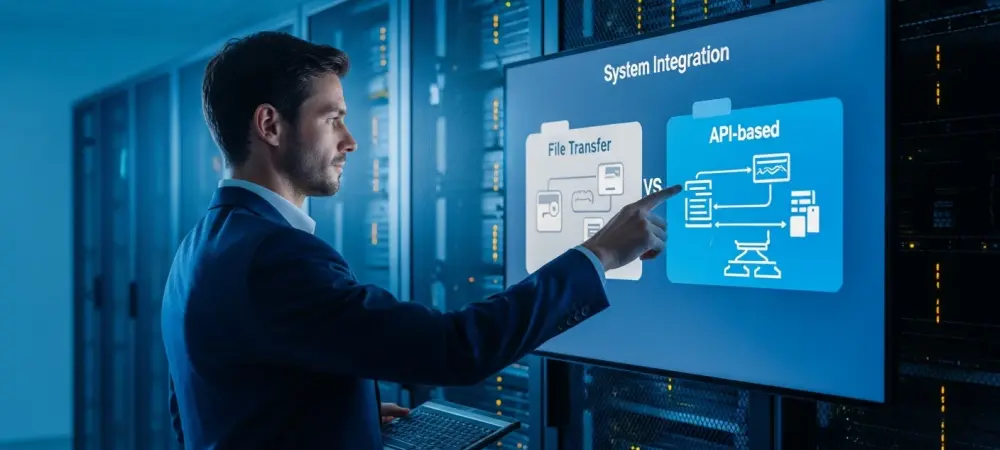
Absolutely. We worked with a company whose warehouse management system communicated with their old ERP by dropping flat files onto a shared server every hour. They just assumed we could “reconnect” it. But Business Central is built on an API-first model, which requires real-time, secure communication. The old file-drop method was not just incompatible; it was a security and data integrity risk. We had to completely re-architect the integration, building a new solution that used Business Central’s APIs. But building the “happy path” is only half the battle. The most essential element is planning for failure. We had to design robust exception-handling for what happens if an API call fails, including retry logic with exponential backoff, and create a monitoring dashboard that gave clear visibility into data flows. It’s this redesign and failure planning for integrations that, when overlooked, causes the most significant and painful timeline slips.
Finance leaders often expect their old reports to map directly into the new system. What is the core conceptual shift from legacy account-based reporting to Business Central’s dimension-driven model? Can you outline a practical process for prototyping and validating new management reports early?
This is a huge source of friction early in projects. A CFO holds up their meticulously crafted financial statement from the old system and says, “I need this, exactly like this.” The problem is, that report’s logic is often hard-coded into the chart of accounts or built in an external spreadsheet. Business Central thinks differently; its power lies in a flexible, dimension-driven model where you can tag transactions with analytical labels like department, project, or region. The conceptual shift is moving from a rigid, structural report to a dynamic, analytical one. To manage this, we insist on prototyping key management reports very early in the project. We take their real data, load it into a pilot environment with a proposed dimension structure, and build a few sample reports. This allows executives to see and feel the new analytical power, moving the conversation from “recreate my old report” to “how can we use dimensions to get even better insights?”
Many teams treat go-live as the finish line, but it’s really the start of stabilization. What specific metrics should a team track during the hypercare period to measure success, and what are the most common post-go-live adjustments you typically have to make?
Thinking go-live is the end is a classic mistake. It’s the starting pistol for stabilization. During the hypercare period, which should be a formal, structured phase, we track metrics like the number and type of support tickets, transaction posting error rates, and system performance benchmarks. We’re watching to see if users are adopting the new workflows or reverting to old habits. The most common adjustments are almost always in three areas: refining user permissions because real-world usage exposes a gap, tweaking reports because seeing live data reveals a new analytical need, and adjusting workflows because an edge case that never appeared in testing suddenly becomes a daily occurrence. A well-planned hypercare period allows you to make these adjustments quickly, which builds user confidence and protects the integrity of your new system.
The most successful migrations are treated as an operational reset, not just a technical transfer. Can you share a story where this mindset made a tangible difference in project outcomes and explain how project leaders can foster this perspective from the very beginning?
I worked on a project where the leadership, from day one, framed the migration as “the opportunity to redesign how we work.” They didn’t talk about software; they talked about eliminating manual processes and getting better business insights. This mindset completely changed the project’s trajectory. When the finance team was asked to review their month-end closing process, instead of just mapping the old steps, they redesigned it from 15 steps down to 8, leveraging Business Central’s automation. Six months after go-live, the difference was stark: their closing cycle was faster, their reports were more trusted, and user adoption was incredibly high. Project leaders can foster this by kicking off the project not with a technical demo, but with workshops focused on business pain points and future-state goals. It’s about making it clear that the technology is the enabler, but the real goal is a better, more efficient operation.
Do you have any advice for our readers?
My strongest advice is to plan for the change, not just the move. Before you even talk about technology, deeply question your legacy assumptions. Challenge why you do things the way you do. Invest heavily in cleaning your data, redesigning your processes, and prototyping your most critical reports early. The success of your Business Central migration won’t be measured by whether you hit your go-live date, but by the confidence, efficiency, and insight your organization has gained six months later. Treat it as a true operational reset, and you will unlock the full value of the platform.