

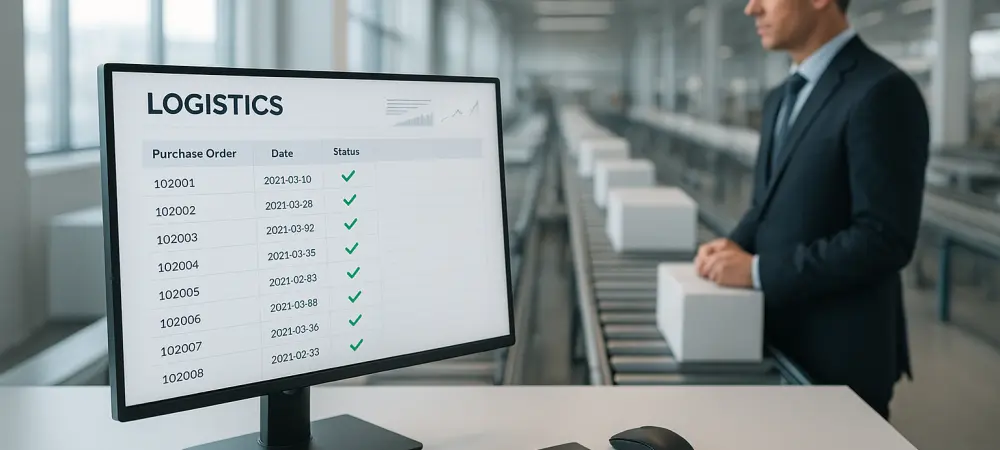
The visibility gap in Microsoft Dynamics 365 procurement usually stems from the manual effort required to synchronize supplier commitments with the live purchase order. While modern enterprise resource planning systems provide robust internal accounting and inventory tracking, they often fall short at the point where data leaves the organization’s firewall and enters the supplier’s domain. Procurement professionals frequently find themselves in a situation where once a purchase order is transmitted, the status of that order remains a mystery until the goods arrive at the loading dock or an overdue notice is generated. This lack of transparency leads to frantic follow-up emails, phone calls, and the maintenance of shadow spreadsheets that exist entirely outside the official system of record. To rectify this, organizations are shifting toward automated confirmation workflows that bridge the digital divide between the ERP and the external vendor. By moving away from custom SSRS reports and high-cost business intelligence licenses, firms can leverage standardized data exchange methods to ensure that every commitment made by a supplier is captured and logged without human intervention. This shift not only improves data accuracy but also allows the procurement team to focus on strategic sourcing rather than administrative data entry.
1. Identify and Organize Essential PO Data Points
Establishing a closed-loop system begins with a critical assessment of the information being sent to the vendor. Before any automation can be implemented, it is necessary to determine which specific data points are vital for the supplier to fulfill the request accurately. Many procurement teams make the mistake of including every possible field from the Dynamics 365 database, which only serves to clutter the communication and increase the likelihood of supplier error. Instead, the focus should remain on a streamlined “Order Overview” that includes the purchase order number, the vendor details, and the assigned buyer’s identification. Perhaps the most critical element in this stage is the contact information; without a single, valid primary email address for the supplier, the entire automation chain will break before it even begins. Ensuring that this master data is clean and updated within the ERP is a prerequisite for any successful synchronization project.
Beyond the basic header information, the automation must clearly articulate the specifics of the line items to avoid ambiguity during the fulfillment process. This involves listing item numbers, descriptions, quantities, and the specific units of measure that the supplier expects to see. Furthermore, timeline data acts as the pulse of the procurement process, making it essential to highlight both the requested delivery dates and any promised dates that have been discussed previously. By monitoring these fields, the system can provide a clear comparison between what was asked for and what the supplier has committed to delivering. Finally, the purchase order status code must be integrated into the data set to ensure that outreach only occurs at the appropriate stage of the lifecycle. By organizing these core data points into a standardized format, the organization creates a foundation upon which a reliable and scalable communication framework can be built across the entire supply chain.
2. Select a Synchronization Method and Trigger
Connecting the internal data of an ERP to an external follow-up system does not necessarily require complex custom coding or a massive IT infrastructure overhaul. There are several integration styles that can fit the technical resources and budgetary constraints of a modern procurement department. One of the most straightforward methods is the use of automated file exports, such as recurring CSV transfers via a secure file transfer protocol. This approach allows procurement teams to manage the data flow with minimal assistance from the IT department, as it relies on standard export jobs that can be scheduled to run every few hours. This method is particularly effective for organizations that do not require second-by-second updates but still need a high degree of reliability in their daily operations. It provides a consistent snapshot of the current purchase order landscape without the overhead of maintaining live connections.
For organizations that demand a higher level of data freshness, standard API requests using OData endpoints offer a more dynamic solution. By pulling data every few minutes, the follow-up system remains closely aligned with the live state of the ERP. However, the most sophisticated approach involves real-time event triggers, where Dynamics 365 is configured to signal the external system the moment a purchase order status changes. This ensures that a notification is sent to the supplier almost immediately after a buyer releases an order. While this requires a higher level of administrative setup and coordination with system architects, the resulting efficiency often justifies the initial investment. Choosing the right synchronization method depends on the desired balance between technical complexity and the speed of communication, but regardless of the choice, the goal remains the same: a seamless flow of information from the ERP to the supplier.
3. Distribute Orders Using a Standardized Response Format
When a supplier receives a purchase order notification, the clarity of the message directly impacts the speed and accuracy of their response. In many traditional environments, suppliers are buried under complex PDF attachments or embedded images that are difficult to parse and even harder to reply to using mobile devices. To overcome this, the outreach must utilize a standardized format that emphasizes readability and ease of action. Providing a clear, plain-text summary of the order requirements within the body of the email allows the vendor to quickly scan the quantities and dates without having to open multiple attachments. This approach respects the supplier’s time and reduces the cognitive load required to process each request, which naturally leads to faster confirmation cycles and fewer misunderstandings regarding the buyer’s expectations.
The most effective communication strategies include a “reply link” or a dedicated portal interface that ties the supplier’s feedback directly to the specific purchase order and line item IDs. By embedding these unique identifiers into the response mechanism, the system can automatically map any updates back to the correct record in the ERP. This eliminates the ambiguity that often arises when a supplier provides a general update for multiple orders or fails to specify which part of an order is being delayed. When the supplier confirms a date or a quantity through this structured channel, the data is already formatted in a way that the automation tool can interpret. This structured interaction ensures that the feedback loop is tight and that the information returning to the organization is just as organized as the data that was originally sent out to the vendor.
4. Extract Supplier Feedback and Update the ERP Automatically
The final and perhaps most transformative step in the process is the extraction of supplier feedback and the subsequent update of the ERP system. Modern automation tools now leverage natural language processing to interpret the nuances of supplier communication. If a vendor replies to an automated notification stating that they can only ship half of the requested quantity now and the remainder next week, the system should be intelligent enough to recognize this as both a partial shipment and a split date change. This level of interpretation allows the software to handle complex logistics scenarios that previously required a human buyer to manually intervene and retype data. By interpreting the intent behind the supplier’s words, the automation acts as a digital liaison that maintains the integrity of the procurement schedule without constant oversight.
Once the supplier’s feedback has been successfully interpreted, the software writes the confirmed dates and quantities directly back to the purchase order lines within Dynamics 365. This automated write-back serves as the single source of truth for the entire organization, ensuring that the warehouse, production, and sales teams are all looking at the same committed data. By removing the manual data entry component, the organization drastically reduces the risk of typographical errors and ensures that the ERP reflects the actual state of the supply chain in real-time. This automated closure of the loop transforms the purchase order from a static request into a dynamic contract that is continuously updated based on actual supplier commitments. Ultimately, this leads to a more agile procurement operation that can respond to changes with speed and precision.
5. Define Strategic Triggers for Seamless Implementation
One of the most critical aspects of implementing this automated workflow was the careful definition of system triggers. A frequent error observed in early adoption phases involved a failure to restrict which purchase order statuses initiated the outreach process. If a system was configured to send automated follow-ups for orders in a “Draft” or “Canceled” status, it quickly led to confusion and frustration among the supplier base. Vendors who received notifications for incomplete or voided orders began to ignore the automated messages, which undermined the entire objective of the project. Therefore, it became essential to ensure that outreach only commenced when a purchase order reached a status that indicated it had been officially vetted and issued, such as “Released” or “Confirmed.”
The transition toward automated supplier management systems represented a fundamental shift in how procurement departments operated. By removing the administrative burden of manual data entry, teams were able to refocus their efforts on high-value tasks such as vendor negotiation and risk mitigation. This evolution not only streamlined the confirmation process but also created a more resilient and transparent supply chain that prepared organizations for the complexities of modern global trade. Moving forward, the focus remained on refining these triggers and expanding the logic to include more complex variables, such as lead time trends and vendor performance metrics. The successful integration of these tools demonstrated that with the right data structure and a clear set of triggers, the visibility gap in enterprise procurement could be permanently closed.