
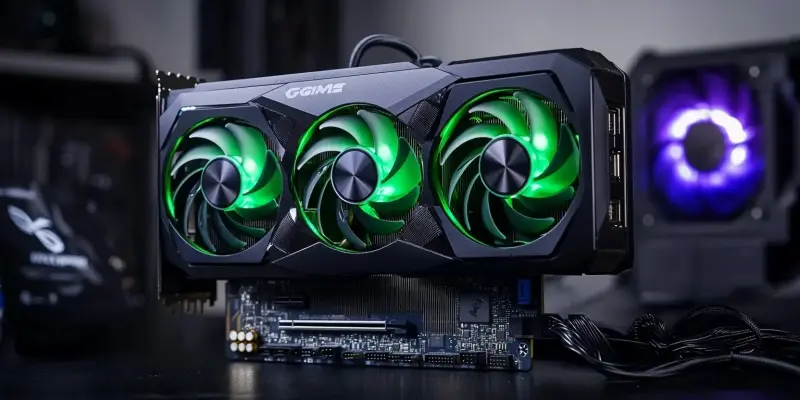
Are You Using the Latest NVIDIA Driver to Protect Your System?

Ensuring that you are always using the latest NVIDIA driver can be critical to maintaining the security and performance of your system. The latest software security update from NVIDIA addresses several significant vulnerabilities in GPU display drivers, strengthening the overall protection of your system. With eight security flaws resolved, including two high-risk ones, this update is a notable development in enhancing user safety.

One of the primary vulnerabilities addressed (CVE-2024-0150) involves a “buffer overflow” in the GPU display driver, which could lead to extensive system compromise and data leakage. This type of vulnerability can allow malicious actors to exploit the system, possibly leading to unauthorized access to sensitive information. Another critical issue tackled pertains to the virtual GPU manager, which previously presented a risk of memory corruption. This flaw could enable a malicious guest to execute code or alter data on the host system, posing a significant security risk.

In addition to these high-priority fixes, NVIDIA has also patched six medium-severity vulnerabilities that affect a broad range of products, ensuring a more secure user experience. It is essential for users to update to the recommended driver versions—553.62 or 539.19 for Windows, and v550.144.03 or v535.230.02 for Linux. These updates are crucial not only for owners of GeForce GPUs but also for those utilizing NVIDIA RTX, Quadro, NVS, and Tesla products, given the widespread impact of these vulnerabilities.

The recent security update underscores the importance of keeping your drivers current to defend against potential exploits. By regularly updating to the latest driver versions, users can significantly enhance their system’s security and integrity. NVIDIA’s commitment to providing timely and comprehensive security updates reflects their dedication to maintaining high standards for user protection. Keeping your system up to date with the latest security patches from NVIDIA is essential for safeguarding your data and ensuring optimal performance.

Explore more

How Is Workday Using AI to Shift From Copilots to Autopilots?

The global corporate landscape is currently witnessing a fundamental transition in how digital systems govern the daily operations of multi-billion-dollar enterprises through autonomous intelligence. At the heart of this transformation is the deliberate shift from “copilots”—assistants that require constant human prompting—to “autopilots” that are capable of executing complex workflows independently. This strategic evolution, particularly evident in the 2026 market environment,

AI Adoption in ERP Systems Sparks Tension With Security Teams

Successful integration of new technology depends on establishing proven controls and maintaining transparency between business units and security departments. This fundamental principle is currently being tested as the rapid collision between autonomous enterprise software and traditional risk management creates a visible fault line in modern corporate architecture. Currently, the landscape of corporate operations is undergoing a fundamental transformation as Enterprise

How to Apply for WDRA Deputy Director HR Recruitment 2026?

Applicants must ensure their current department forwards the necessary documentation to the Assistant Director of Human Resources at the Siri Institutional Area. This specific recruitment drive by the Warehousing Development and Regulatory Authority arrives at a time when the strategic management of human capital has become a cornerstone for maintaining national logistics standards. As the regulatory framework for warehousing undergoes

Is Linux Mint Now a Better Desktop Choice Than Ubuntu?

Linux Mint’s Software Manager maintains a firm stance on user autonomy by blocking the Snap format by default while providing seamless access to traditional packages and Flatpak applications. This ideological separation highlights the broader divergence currently occurring in the Linux world throughout 2026, where the definition of a user-friendly operating system is being fundamentally re-evaluated. While Ubuntu was historically the

How to Quickly Sign PDF Documents Using Your Mac’s Preview App

Mac owners can use their trackpads or even an iPhone screen as a high-precision input device for generating clean signatures on electronic forms. In an era where digital agility is paramount, the reliance on traditional paper-based workflows has become a relic of the past, yet many professionals still struggle with the perceived complexities of electronic document authorization. While various specialized