
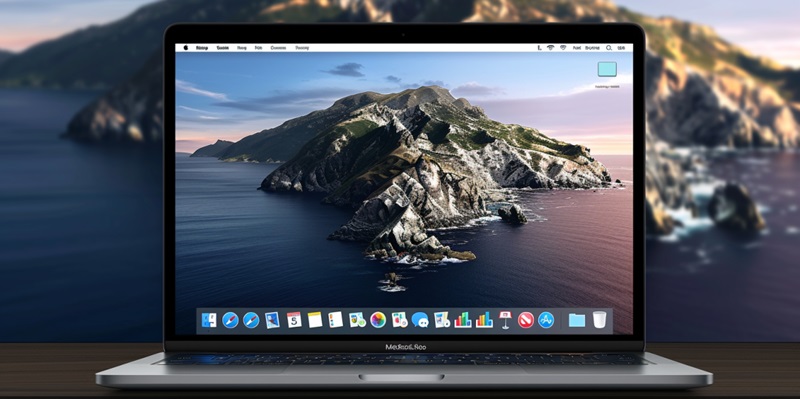
Apple Releases macOS 14.4.1 to Fix Bugs and Enhance Security

In a bid to address critical bugs and enhance user security, Apple has rolled out the macOS Sonoma version 14.4.1 update. The latest release comes after macOS 14.4, which, despite introducing new features, was marred by numerous problems affecting users. Key issues reported included USB device malfunctions, iCloud backup file deletions, and Java crashes, particularly on Apple Silicon Macs. With the new update, Apple seeks to resolve these concerns, ensuring a more stable and secure experience for users of its latest devices.

Apple’s move is particularly impactful for a broad range of Mac devices. The update is designed for the MacBook Air, MacBook Pro, and Mac Mini models from 2018 onwards, the Mac Pro from 2019, the iMac and iMac Pro from 2017 and 2019 respectively, and all Mac Studio models. For those with older devices limited to macOS Ventura, a separate security update, version 13.6.6, was issued, underscoring Apple’s dedication to maintaining security across its ecosystem.

Navigating the Updates: User Guidance

To facilitate the user update process, Apple has made macOS 14.4.1 available via the System Settings under the Software Update section. The company stands firm on its recommendation for users to immediately update to the latest version, safeguarding against potential security threats highlighted by the initial bugs found in the previous release. This pragmatic approach ameliorates concerns raised by users, reinstating trust in the platform.

This release signifies Apple’s commitment not only to the expansion of its features but also to responsiveness toward software flaws. It reinforces the message that regularly updating operating systems is indispensable for users to maintain the integrity and security of their digital environments. Following this update, Apple anticipates that its users will regain confidence in the system’s reliability and security, given that the resolved issues served as a strong reminder of the risks associated with delaying software updates.

Explore more

AI Adoption in ERP Systems Sparks Tension With Security Teams

Successful integration of new technology depends on establishing proven controls and maintaining transparency between business units and security departments. This fundamental principle is currently being tested as the rapid collision between autonomous enterprise software and traditional risk management creates a visible fault line in modern corporate architecture. Currently, the landscape of corporate operations is undergoing a fundamental transformation as Enterprise

How to Apply for WDRA Deputy Director HR Recruitment 2026?

Applicants must ensure their current department forwards the necessary documentation to the Assistant Director of Human Resources at the Siri Institutional Area. This specific recruitment drive by the Warehousing Development and Regulatory Authority arrives at a time when the strategic management of human capital has become a cornerstone for maintaining national logistics standards. As the regulatory framework for warehousing undergoes

Is Linux Mint Now a Better Desktop Choice Than Ubuntu?

Linux Mint’s Software Manager maintains a firm stance on user autonomy by blocking the Snap format by default while providing seamless access to traditional packages and Flatpak applications. This ideological separation highlights the broader divergence currently occurring in the Linux world throughout 2026, where the definition of a user-friendly operating system is being fundamentally re-evaluated. While Ubuntu was historically the

How to Quickly Sign PDF Documents Using Your Mac’s Preview App

Mac owners can use their trackpads or even an iPhone screen as a high-precision input device for generating clean signatures on electronic forms. In an era where digital agility is paramount, the reliance on traditional paper-based workflows has become a relic of the past, yet many professionals still struggle with the perceived complexities of electronic document authorization. While various specialized

Windows 11 24H2 Support Ends Soon: How to Prepare Your PC

Security professionals often view unsupported operating systems as liabilities that wait for the next vulnerability scan to disrupt organizational compliance. Windows 11 version 24## is rapidly approaching its end-of-service milestone on October 13, 2026, creating a sense of urgency for administrators managing Home and Pro editions. This specific deadline serves as a critical junction for IT departments that have spent