

The modern smartphone experience relies heavily on the seamless integration of artificial intelligence into daily routines, making the arrival of iOS 26.4 a pivotal moment for mobile users seeking deeper personalization. This latest update represents the fourth major iteration of the current system, focusing on transforming how individuals interact with their media libraries and accessibility settings. By prioritizing smarter automation over broad structural changes, the software aims to refine the digital environment into something more intuitive and responsive to specific human needs.
This exploration addresses the core functional improvements and creative additions found within the release. Readers can expect a detailed look at the new music curation tools, the expansion of the emoji library, and critical system refinements that enhance the overall user interface. The objective is to clarify how these changes impact the daily iPhone experience while setting expectations for the trajectory of the ecosystem.
Key Questions About the New Features
What Does the Playlist Playground Offer to Music Lovers?
The digital music landscape often feels overwhelmed by vast catalogs, leaving many listeners struggling to find the perfect track for a specific moment. Apple addresses this by introducing Playlist Playground, a beta feature that utilizes advanced generative intelligence to build custom tracklists based on descriptive text prompts. Instead of scrolling through endless genres, a user can simply describe a feeling or a specific scenario to receive a tailored selection of songs that match the intended atmosphere.
Moreover, the update enhances the visual and social aspects of the listening experience by supporting full-screen backgrounds for albums and integrating a Concerts discovery tool. This feature leverages personal listening habits and geographic data to highlight upcoming live performances nearby. By combining these discovery tools with a new Ambient Music widget for focused work or sleep, the system ensures that audio content remains relevant to the user’s immediate context and lifestyle.
How Does iOS 26.4 Improve Accessibility and Daily Utility?
Digital inclusion remains a priority for modern software development, as many users require specialized interface adjustments to navigate their devices comfortably. The new “Reduce Bright Effects” setting is a significant addition, designed specifically to minimize sudden flashes or intense light patterns that could cause discomfort. Additionally, the system now provides more granular control over subtitles and captions, ensuring that multimedia content is accessible to a wider audience with varying needs.
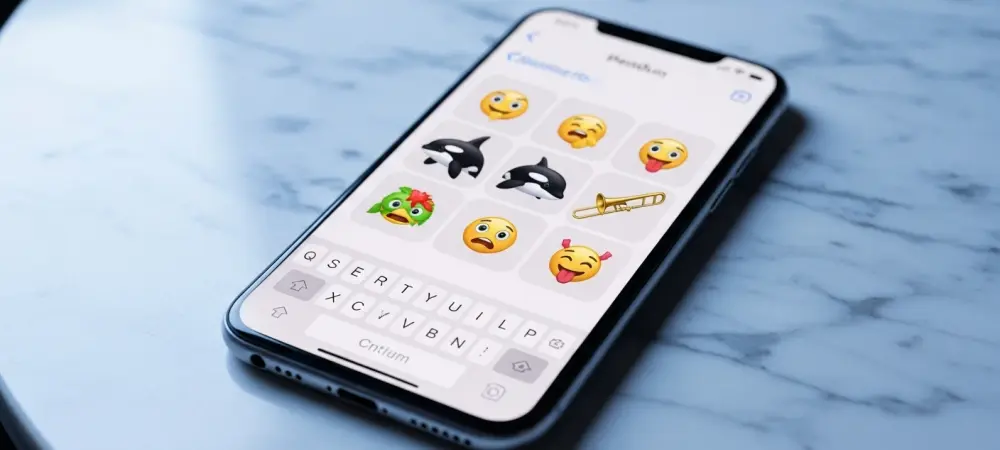
Beyond accessibility, the update introduces several quality-of-life improvements that streamline productivity and communication. The Freeform app now includes sophisticated image creation tools, and the keyboard has been tuned for higher accuracy during rapid typing sessions. Users will also find eight new emojis, including an orca and a trombone, which provide fresh ways to express ideas. These small but meaningful changes collectively create a more polished and reliable platform for both professional and personal use.
Summary of the Latest Updates
The release of iOS 26.4 successfully bridged the gap between standard functional updates and the future of integrated artificial intelligence. By focusing on the Playlist Playground and enhanced music recognition, the software provided users with a more immersive way to manage their audio environments. The inclusion of new accessibility options and expanded emoji sets ensured that the update felt comprehensive, even without the full suite of previously anticipated Siri upgrades.
System-wide refinements in apps like Freeform and the Control Center further demonstrated a commitment to utility and responsiveness. These improvements offered a glimpse into a more automated ecosystem where the device anticipates user needs through smarter curation and refined input methods. For those looking to dive deeper, the official support documentation provides a thorough breakdown of every minor patch included in this version.
Final Reflections on the Software Evolution
The transition to this version of the operating system highlighted a clear shift toward specialized AI applications that prioritize user creativity and comfort. It became evident that the focus moved away from simply adding more features and toward making existing tools work with greater precision and intelligence. This approach allowed the mobile experience to feel more personal and less like a generic interface, proving that subtle refinements often have the most significant impact on daily satisfaction. Moving forward, individuals should take the time to experiment with the prompt-based curation tools to see how well the system adapts to their unique tastes. Keeping an eye on future beta cycles will be essential for those eager to see the eventual arrival of the broader intelligence suite. Engaging with these new tools now helped establish a foundation for the even more sophisticated automation expected in the coming months.