

Introduction
The steady evolution of smartphone operating systems often feels like a series of minor tweaks, but occasionally, an update arrives that genuinely redefines aspects of the daily user experience for millions. With the public release of iOS 26.2, Apple has introduced a suite of enhancements that span from deeper personalization to critical safety functions. This article serves as a comprehensive FAQ to navigate these changes, offering clear answers on the most significant new features and their practical implications. Readers can expect to gain a thorough understanding of what this update brings to the iPhone, covering everything from media consumption and productivity to the straightforward process of installation.
Key Questions or Key Topics Section
What Are the Main Entertainment Upgrades
Apple continues to refine its core media applications, and iOS 26.2 brings several welcome improvements aimed at enhancing user engagement and convenience. The update focuses on delivering a more seamless and accessible entertainment experience across music, podcasts, and gaming, addressing user feedback and adding new layers of functionality.
Within the Apple Music app, two notable changes have been implemented. Users can now download lyrics for offline viewing, ensuring they have access to them even without an internet connection. Moreover, the “Favourite Songs” playlist is now more prominently featured in the Top Picks section, making it easier for listeners to access their most-loved tracks. The Podcasts app also receives a significant upgrade with automatically generated chapters, which simplifies navigation through long episodes. Furthermore, it now includes direct links to other podcasts mentioned during an episode, allowing listeners to discover and follow new content directly from the player.
The gaming experience on the iPhone is also more refined with this update. A new set of filters in the Games app allows users to sort their library by various parameters, including category and size, helping to manage large collections. For those who enjoy a competitive edge, in-game challenge score banners provide real-time updates. Additionally, iOS 26.2 improves support for popular connected controllers like the Backbone and Razer, promising a more responsive and immersive gaming session.
How Does iOS 26.2 Enhance Customization and Productivity
Beyond entertainment, this update introduces meaningful changes that empower users to tailor their device’s appearance and streamline their daily tasks. The new features focus on giving users more granular control over the user interface while also making core productivity apps more powerful and intuitive.
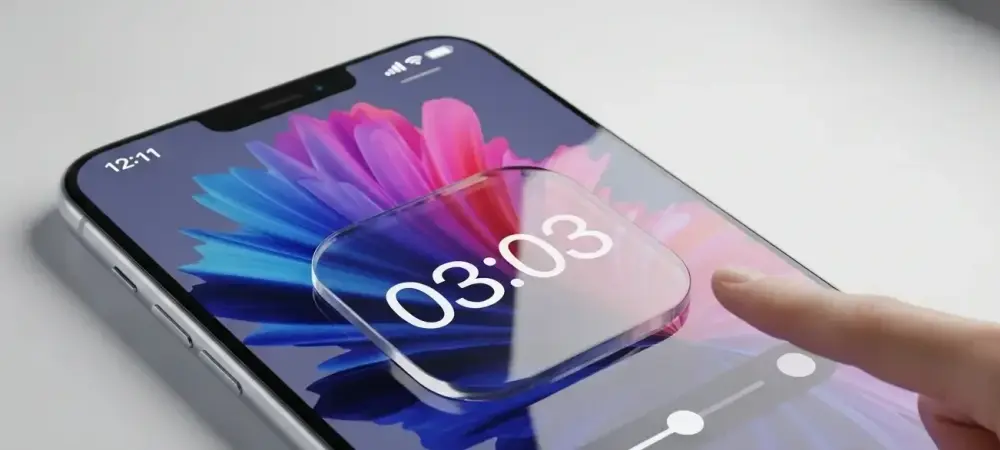
One of the key aesthetic changes involves the Liquid Glass user interface. Users now have more lock screen customization options for the clock, including the ability to adjust the theme’s opacity for a more personalized look. This subtle but impactful feature allows for greater harmony between the wallpaper and system elements. On the productivity front, the Reminders app gains a much-requested feature: alarms. These alarms can be set for urgent tasks and include snooze functionality, effectively turning Reminders into a more robust task management tool. The integration with Live Activity ensures that critical reminders remain visible and actionable.
Are There Any New Safety and Accessibility Features
A core focus of any major iOS update is the reinforcement of user safety and the expansion of accessibility options. In iOS 26.2, Apple has introduced several features designed to provide critical information in emergencies and to add layers of security to everyday interactions, alongside new tools for users with specific accessibility needs.
A major addition, currently available only in the United States, is the Enhanced Safety Alerts system. This feature is designed to inform users of imminent threats such as floods and other natural disasters. The alerts provide vital information, including a map of the affected area and links to additional safety guidance. In a different security enhancement, AirDrop now includes an additional verification step when sending files to unknown contacts. Senders must enter a code displayed on the recipient’s device, preventing unsolicited or accidental file transfers.
In terms of accessibility, the update brings a new option for screen flashing within the Flash for alerts settings. This provides a visual cue for notifications that can be particularly helpful for users who are deaf or hard of hearing. Other smaller but useful additions include a new link to the Apple News section directly at the top of the Today Feed and the ability to use the same setup code when pairing multiple accessories in the Home app, simplifying the smart home setup process.
How Can Users Install the iOS 26.2 Update
Updating to the latest version of iOS is a straightforward process designed to be accessible to all users. Before beginning, it is always a good practice to ensure the device is connected to a stable Wi-Fi network and has sufficient battery life, or is connected to a power source.
To initiate the update, users should first open the Settings app on their iPhone. From there, they need to navigate to General and then tap on Software Update. The device will automatically check for any available updates. Once iOS 26.2 appears, tapping on “Download & Install” will begin the process. Users will be prompted to accept the terms and conditions before the download commences. The iPhone may restart several times during the installation, which is a normal part of the update procedure. All iPhone models that were previously enrolled in the beta program are eligible to receive this stable release.
Summary or Recap
The release of iOS 26.2 introduces a well-rounded set of features that enhance nearly every aspect of the iPhone experience. From enriching entertainment with offline lyrics in Apple Music and improved navigation in Podcasts to boosting productivity with customizable alarms in Reminders, the update provides tangible quality-of-life improvements. The focus on safety is also evident, with the introduction of Enhanced Safety Alerts and a more secure AirDrop protocol. These changes collectively make the operating system more personalized, efficient, and secure.
Conclusion or Final Thoughts
The launch of iOS 26.2 marked a thoughtful refinement of the user experience, demonstrating a commitment to both innovative features and practical enhancements. The update successfully balanced aesthetic personalization with critical safety functions, providing tools that ranged from subtle interface tweaks to potentially life-saving alert systems. It addressed long-standing user requests while pushing the platform’s capabilities forward in key areas like media consumption and productivity, ultimately delivering a more mature and versatile operating system.