

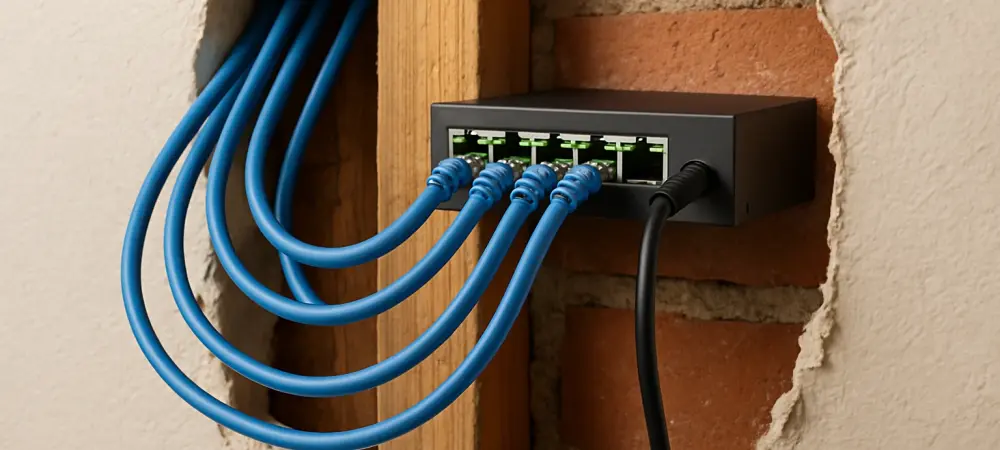
The persistent buffering wheel during a critical video presentation or the sudden lag spike that costs you the match in an online game represents a modern paradox: you pay for high-speed internet, yet the wireless signal delivering it can feel disappointingly fragile and unreliable. For many, the dream of a perfectly stable connection seems to require an expensive and messy home renovation project involving drilling through walls and pulling cables. However, the solution to this widespread frustration may not require contractors or complex installations but rather a clever repurposing of an existing, and often overlooked, network already threaded throughout your home. This guide will help you unlock that hidden potential, transforming your humble television outlets into ports for a high-performance wired network.
Unlocking Gigabit Speeds: The Untapped Potential of Your Coaxial Outlets
The daily struggle with inconsistent Wi-Fi is a familiar one. Critical work-from-home tasks like video conferencing demand a stable connection that wireless networks, susceptible to interference from walls, appliances, and even neighboring networks, often cannot guarantee. Likewise, online gaming and the transfer of large files are activities where any drop in performance is immediately and frustratingly apparent. The gold standard for reliability has always been a physical, wired Ethernet connection, but the thought of running new cables through a finished home is daunting for most people and simply impossible for many renters. This is precisely where MoCA (Multimedia over Coax Alliance) technology emerges as an exceptionally elegant solution. It is a standardized technology designed to create a high-speed, reliable network using the existing coaxial wiring—the very same cables used for cable television—that is already present in the vast majority of modern houses and apartments. MoCA effectively bridges the gap between the unreliability of Wi-Fi and the impracticality of installing new Ethernet, offering a best-of-both-worlds approach. It harnesses an underutilized resource to deliver the kind of robust, gigabit-speed performance required by today’s demanding digital activities, all without a speck of drywall dust.
The Wired vs. Wireless DilemmWhy Your TV Cable Is the Unsung Hero of Home Networking
In the debate between wired and wireless connectivity, the technical superiority of a wired network is well-established and undeniable. A physical connection offers significantly lower latency, which is the delay in data transmission critical for responsive gaming and real-time communication. Moreover, wired speeds are consistent and not subject to the signal degradation and fluctuation that plague Wi-Fi. This reliability makes it the preferred choice for any stationary device where performance is paramount, such as a desktop computer, a smart TV, or a gaming console.
Despite these clear advantages, the widespread adoption of fully wired homes has been hampered by the significant drawbacks of retrofitting. The process of installing new Ethernet cabling is inherently disruptive, often involving drilling holes through walls, floors, and ceilings. This can be a costly and messy project requiring professional installation. For those living in rental properties, such structural modifications are typically prohibited, leaving them with no option but to endure the shortcomings of their wireless network. This practical barrier has, for many, made the ideal networking solution seem permanently out of reach.
MoCA technology masterfully sidesteps these installation challenges. It ingeniously transmits high-speed data over the coaxial cable infrastructure that already connects rooms throughout a home. This network of TV outlets, often sitting dormant in an age of streaming, becomes the superhighway for your internet traffic. By leveraging this existing and often underutilized wiring, MoCA delivers the speed, low latency, and unwavering stability of a traditional wired network without any of the associated cost, mess, or structural modifications, positioning it as the unsung hero for modern home networking demands.
From Box to Blazing Speeds: A Step-by-Step Guide to Installing Your MoCA Network
Step 1: Assessing Your Home’s Coaxial Infrastructure
The first phase of implementing a MoCA network is a simple assessment of your home’s existing coaxial wiring. The primary requirement is the presence of coaxial outlets—the familiar threaded connectors for TV cables—in the room where your router is located and in the rooms where you need a high-speed wired connection. A quick visual survey of your home office, entertainment center, or any other target area is all that is needed to confirm this foundational prerequisite.
Fortunately, modern MoCA technology is remarkably robust and forgiving when it comes to the quality of the cabling itself. Even the coaxial wiring found in homes built one or two decades ago is typically more than sufficient to support a stable, high-performance gigabit network. The standards were designed with the understanding that they would be deployed over existing infrastructure, making the technology highly compatible with the vast majority of residential wiring without requiring any costly upgrades to the cables hidden within the walls.
Insight: If You Can Get an HDTV Signal You’re Likely MoCA-Ready
A straightforward rule of thumb can quickly determine if your home’s wiring is up to the task. The coaxial cables that are capable of carrying a modern high-definition (HDTV) cable television signal are, in almost all cases, perfectly adequate for establishing a high-performance MoCA network. The technical demands of transmitting a clear, uncompressed digital video signal are significant, requiring a certain level of cable integrity and shielding.
This simple test provides a high degree of confidence. If your outlets can deliver a crisp picture from a cable box, they possess the necessary bandwidth and quality to also carry the high-frequency data signals used by MoCA adapters. This means you can proceed with setting up your network, assured that the infrastructure already in your walls is ready to handle gigabit speeds without issue, transforming a simple check into a green light for a major network upgrade.
Step 2: Selecting the Core Components – Your MoCA Adapters
With the infrastructure confirmed, the next step is to acquire the essential hardware: MoCA adapters. These compact devices are the heart of the network, functioning as sophisticated bridges that translate data between two different formats. Their primary job is to take the Ethernet signal coming from your router and convert it into a signal that can travel seamlessly over your home’s coaxial cable lines. At the destination, another adapter performs the reverse process, converting the signal back into Ethernet for your computer or other device.
These adapters are designed for simplicity, typically featuring a coaxial input to connect to the wall outlet, a coaxial output (to allow a TV or cable box to share the outlet), and one or more Ethernet ports. They are essentially plug-and-play devices that require minimal configuration, making the technical side of the installation accessible to users of all experience levels. You are simply creating a physical link between your router and a remote device using the hidden wiring in your walls as the pathway.
Pro Tip: Aim for MoCA 2.5 for Future-Proof Gigabit Performance
When selecting your adapters, it is highly advisable to choose models that support the MoCA 2.5 standard. While older standards exist, MoCA 2.5 represents the current pinnacle of performance for the technology, offering the best possible speeds and ensuring your network is prepared for the demands of today and tomorrow. This standard is specifically engineered to handle the high-bandwidth needs of modern internet plans and data-intensive applications. Investing in MoCA 2.5 adapters provides significant performance benefits, delivering real-world network speeds of up to 2.5 Gbps. This capability ensures that your network will not be a bottleneck, even if you have a gigabit or multi-gigabit internet plan. Furthermore, this ample bandwidth is crucial for demanding internal network traffic, such as streaming ultra-high-definition 4K media from a local server or engaging in simultaneous, data-heavy activities like gaming and large file transfers, making it a wise, future-proof investment.
Step 3: Configuring Your Network Based on Your Internet Service
The exact setup process for your MoCA network will have slight variations depending on the source of your internet service and the specific hardware your provider has supplied. Regardless of the scenario, the fundamental goal remains constant: to inject the internet signal from your main router into your home’s coaxial network, allowing it to be picked up by another adapter in a different room. This process is straightforward and typically falls into one of two common configurations.
Understanding your current setup is key to a smooth installation. If you have cable internet, you will need to check if your modem or gateway device already has MoCA capabilities built-in. If you use a different type of service, such as fiber optic internet, or if your cable modem does not support MoCA, your installation will require a pair of adapters to create the network from scratch. Both methods are effective and lead to the same high-performance result.
Scenario The Simple Setup with a MoCA-Enabled Cable Modem
The most straightforward installation occurs when your Internet Service Provider (ISP) has supplied you with a cable modem or gateway that has MoCA technology integrated directly into the device. In this scenario, the modem itself acts as the first bridge, automatically handling the task of placing your internet signal onto the coaxial wiring. This simplifies the process considerably, as half of the work is already done. With a MoCA-enabled modem, you only need to purchase and install a single MoCA adapter for the destination room. The setup is incredibly simple: connect the adapter to the coaxial wall outlet in the remote room, and then run a standard Ethernet cable from the adapter to the device you wish to connect, such as a desktop PC, smart TV, or gaming console. The network is established almost instantly, making this the quickest and easiest path to a wired connection.
Scenario B: The Two-Adapter Method for Fiber or Standard Modems
If your internet service is delivered via fiber optic cable, or if your cable modem does not have built-in MoCA support, you will need a set of two MoCA adapters to create your network. This method is just as effective and allows MoCA to be used with any type of internet service. The first adapter serves as the entry point, while the second serves as the exit point for the data.
The installation begins near your main router. You connect an Ethernet cable from a free LAN port on your router to the first MoCA adapter. Then, you connect that same adapter to a nearby coaxial wall outlet. This action effectively “injects” your internet signal into the home’s entire coaxial network. The second adapter is then placed in the remote room, where it connects to the wall outlet, receives the signal, and converts it back to an Ethernet connection for your end device.
Step 4: Securing and Boosting Your Signal with a POE Filter
A Point of Entry (POE) filter is a small, inexpensive, yet absolutely critical accessory for any MoCA network installation. This cylindrical device is designed to be installed on the main coaxial line right where it first enters your home, before the cable is split to go to your modem or other outlets throughout the house. Its installation is simple—it just screws into place—but its dual functions provide essential security and performance benefits that should not be overlooked.
Failing to install a POE filter can leave your network vulnerable and compromise its performance. It is a one-time, set-and-forget component that fortifies your entire MoCA installation. Given its low cost and significant impact on both the security and integrity of your network, considering it an optional accessory is a mistake. It is a foundational piece required for a properly configured and optimized system.
Critical for Security: Preventing Your Network from Leaking Outside
The primary function of a POE filter is security. Because the coaxial cable lines in many neighborhoods are part of a shared infrastructure, the high-frequency signals used by your MoCA network have the potential to travel out of your home and onto the lines of your neighbors. Without a filter, this could inadvertently allow others on the same cable tap to detect and potentially access your private home network, creating a significant security risk.
The POE filter acts as a security gate specifically for these MoCA signals. It is engineered to block these frequencies from passing out of your home while allowing the standard cable TV and internet signals from your ISP to pass through without issue. By installing this filter at the point of entry, you effectively isolate your home’s network, ensuring your private data remains securely within your own walls and preventing any unauthorized access from the outside.
Performance Enhancement: Reflecting Signals to Strengthen Your Connection
Beyond its crucial security role, the POE filter also provides a tangible boost to your network’s performance. By blocking the MoCA signals from leaving your home, the filter also has the effect of reflecting them back into your home’s internal coaxial network. This reflection helps contain and concentrate the signal, preventing it from dissipating and becoming weaker as it travels to remote outlets.
This signal reinforcement results in a stronger, more stable, and more reliable connection between your MoCA adapters. By improving the overall signal integrity throughout your home’s wiring, the filter helps ensure that you can achieve the maximum possible speeds that the technology offers. It is a simple addition that directly contributes to the robustness and top-end performance of your newly established wired network.
Your MoCA Installation Checklist: A Quick Recap
To ensure a successful and seamless installation, it is helpful to review the essential steps in a clear, concise format. This checklist serves as a final summary of the process, guiding you from initial assessment to a fully functional, high-speed wired network. Following these steps in order will help you avoid common pitfalls and get your network up and running efficiently.
This quick recap consolidates the entire process, providing a bird’s-eye view of what needs to be done. It confirms that you have the necessary infrastructure, the correct components, and the proper configuration to transform your home’s coaxial outlets into powerful Ethernet ports.
- Verify you have coaxial outlets in the desired locations.
- Purchase one or two MoCA 2.5 adapters based on your router setup.
- Install a POE filter at your home’s cable point of entry.
- Connect the first adapter to your router and a coax outlet.
- Connect the second adapter to a coax outlet in the target room and run an Ethernet cable to your device.
Beyond a Single Connection: Supercharging Your Entire Home Network
The utility of MoCA technology extends far beyond creating a simple point-to-point connection for a single computer. Its true power lies in its scalability and its ability to serve as the backbone for a comprehensively upgraded home network. By treating every coaxial outlet as a potential high-speed network port, you can strategically solve a wide range of common connectivity challenges, particularly those related to poor or non-existent Wi-Fi coverage in certain areas of your home.
This technology allows for a modular approach to networking. You can start with a single connection and expand the network as your needs evolve, adding access points in any room that has a TV outlet. This capability transforms MoCA from a simple Wi-Fi alternative into a foundational platform for building a robust, reliable, and whole-home network that can handle the demands of a modern, multi-device, and data-heavy environment.
Creating a Multi-Port Wired Hub in Any Room
While a single MoCA adapter typically provides one Ethernet port, this does not limit you to connecting only one device in a room. You can easily expand this single connection into a multi-port wired hub capable of supporting an entire entertainment center or home office setup. This is achieved by connecting an inexpensive, unmanaged Ethernet switch to the Ethernet port on the MoCA adapter.
This simple addition instantly multiplies your connectivity options. For example, in a living room, you could connect a smart TV, a gaming console, a streaming media player, and a sound system to the switch, all of which would then benefit from the stable, low-latency wired connection provided by the MoCA network. This setup eliminates competition for wireless bandwidth among your most data-hungry devices, ensuring smooth, buffer-free performance for all of them simultaneously.
Eliminating Wi-Fi Dead Zones with a MoCA-Powered Access Point
One of the most powerful and transformative applications for a MoCA network is to dramatically improve your home’s wireless coverage. Many homes suffer from Wi-Fi “dead zones”—areas like basements, attics, or distant bedrooms where the signal from the main router is weak or non-existent. Instead of relying on a standard Wi-Fi repeater, which often provides disappointing results, you can use MoCA to create a new, full-speed wireless hot spot.
The solution is to install a MoCA adapter in the poorly-covered area and connect a dedicated Wi-Fi access point (AP) to its Ethernet port. This device then broadcasts a fresh, strong Wi-Fi signal in that specific zone. Because the access point is receiving its internet connection through the high-speed MoCA network, it can deliver performance that is vastly superior to a traditional wireless extender, effectively blanketing your entire home in fast, reliable Wi-Fi.
The Power of a Wired Backhaul: Why This Beats a Standard Wi-Fi Repeater
The key to the superior performance of a MoCA-connected access point is its use of a “wired backhaul.” This term refers to the method the device uses to send and receive data from the main router. In this setup, the backhaul connection is the stable, gigabit-speed link provided by the coaxial wiring. The access point uses this robust physical connection for all of its communication with the rest of your network.
This stands in stark contrast to a standard Wi-Fi repeater or extender. A wireless repeater must use the very same wireless channels to both receive the signal from your router and rebroadcast it to your devices. This process inherently cuts its available bandwidth in half, resulting in significantly slower speeds for any connected devices. A MoCA-powered access point suffers no such performance penalty, allowing it to provide a new Wi-Fi zone that operates at or near the full speed of your internet connection.
Is MoCA Right for You? The Final Verdict on Repurposing Your Walls’ Wiring
In reviewing its capabilities, MoCA established itself as a truly transformative and eminently practical solution for modern home networking. It delivered the undisputed stability and raw speed of a wired connection, a feat it accomplished without requiring any of the disruptive and expensive work associated with a full-scale Ethernet installation. For anyone who had wrestled with the limitations and frustrations of an unreliable wireless network, this technology presented a compelling and highly effective upgrade.
The technology proved its value across a spectrum of demanding use cases. Whether the goal was to ensure flawless performance for professional video conferences, to achieve the low-latency connection needed for competitive online gaming, or to reliably stream high-fidelity media without interruption, MoCA provided a robust foundation. It skillfully repurposed an existing, often-forgotten home infrastructure to solve one of the most common challenges of our connected lives.
Ultimately, the answer to persistent and frustrating connectivity issues had been waiting, dormant, inside the walls all along. By unlocking the hidden potential of the home’s coaxial wiring, users were able to build a superior network that was not only faster and more reliable but also remarkably affordable and simple to deploy. It was a powerful reminder that sometimes the most elegant technological solutions are the ones that cleverly leverage the resources we already have.