

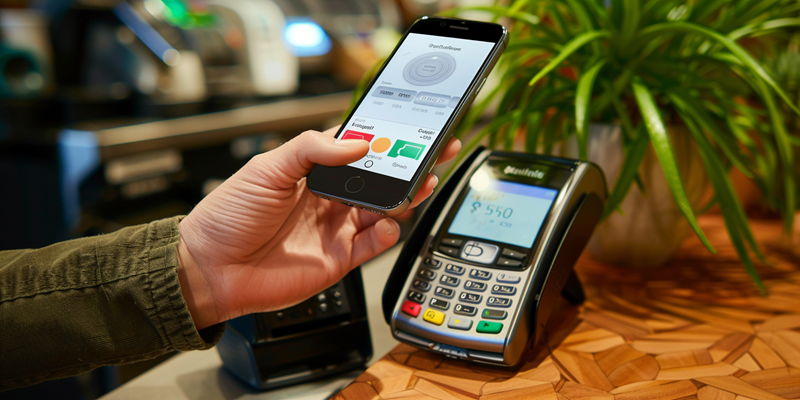
The rise of mobile payments has revolutionized how consumers interact with businesses, offering a fast and convenient way to complete transactions. But as with any technological advancement, challenges and issues can arise. From ensuring compatibility of point-of-sale (POS) systems with mobile payment technologies to educating employees on handling these transactions, businesses need to be prepared. In this article, we’ll navigate through common hurdles and provide insights on troubleshooting mobile payment problems.
Preparing for Mobile Payment Integration
Preparation is critical when integrating mobile payments into your business workflow. Having the right hardware is essential. For contactless transactions, NFC-capable POS terminals are required, which may mean investing in new hardware or updating existing software.
For businesses with an online presence, ensuring your e-commerce site is ready for digital wallets—like Apple Pay and Google Pay—is another crucial step. You may need to work with your hosting provider or payment gateway to enable these services, which could involve additional fees.
It’s important to diversify your accepted payment options as well. While Apple Pay and Google Pay are common, there are many other platforms that cater to a global audience. Additionally, thorough staff training can ensure your team can smoothly handle transactions and troubleshoot any issues that arise.
Security is another significant consideration. Adhering to standards like the Payment Card Industry Data Security Standard is vital for customer trust and regulatory compliance. An analysis of the financial impact, including transaction fees and equipment costs, must be completed to fully understand the investment required for mobile payment adoption.
Lastly, maintaining a secure network for processing transactions is non-negotiable. Ensuring your POS system operates on a network isolated from other devices can greatly reduce the risk of data breaches.
Setting Up Digital Payment Systems
For physical retail locations, collaboration with your POS provider is necessary to enable NFC technology and the ability to accept mobile wallets. It’s equally important to establish a partnership with a payment processor who can support mobile payment integration for your online platform. Following their setup instructions carefully is key to a successful launch.
Proactive Management Strategies for Mobile Payments
Regularly updating software ensures both security patches and system functionality are up-to-date. Testing transactions helps in identifying and rectifying issues before affecting customers. Clear signage about accepted mobile payment methods also aids in customer awareness and can potentially reduce confusion and speed up the checkout process.
Having a backup plan for when mobile payments aren’t working can save the day. Staff training on alternative payment methods should be part of your overall customer service strategy.
Taking strong security measures is also part of proactive management. Initiating robust authentication protocols and utilizing separate networks for payment processing can mitigate risks associated with mobile payments.
Resolving Common Mobile Payment Challenges
The emergence of mobile payment technology has transformed the interaction between consumers and businesses, creating a streamlined and efficient method for financial transactions. Despite the obvious benefits, challenges do pop up, often related to technology integration and staff training. Businesses must ensure their POS systems can support mobile payments and that their team is adept at processing these modern transactions.
Integrating mobile payment options isn’t always a seamless process; it can require updates to existing hardware and software. Compatibility is key, so choosing the right technology that aligns with the business’s current infrastructure is critical. Furthermore, employee training is essential. Staff must understand the nuances of mobile transactions to offer the best customer service.
With thoughtful planning and problem-solving strategies, businesses can overcome the hurdles associated with mobile payments. They can capitalize on this innovation to offer customers a secure and convenient payment experience—propelling themselves into the future of commerce. The insights provided here aim to help business owners troubleshoot mobile payment problems, ensuring a smooth transition to this modern payment landscape.