

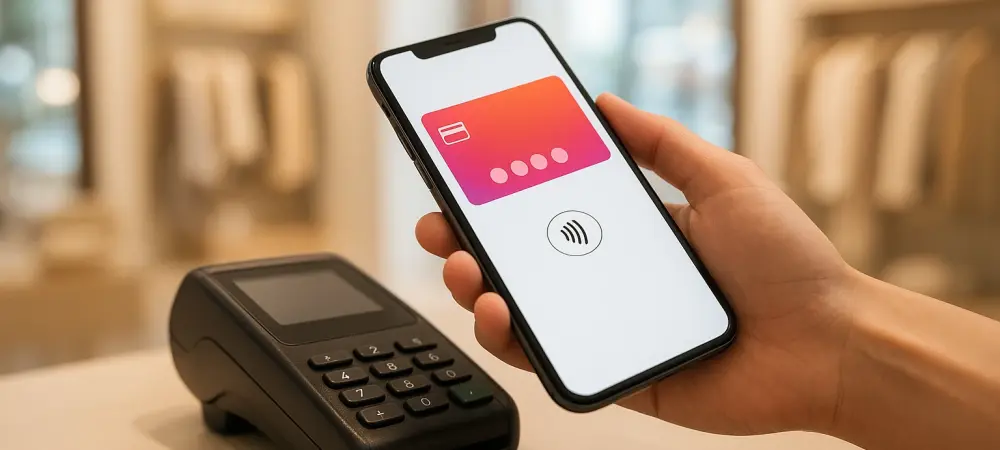
Parents seeking to provide a digital allowance can utilize Google Family Link to establish supervised wallets that allow children to make contactless payments at retail locations. In the current landscape of 2026, the traditional physical wallet has become increasingly redundant as mobile ecosystems integrate financial and identification services into a single handheld device. This shift necessitates a sophisticated understanding of how digital hubs operate to ensure maximum efficiency and security during daily transactions. Google Wallet has emerged as a cornerstone of this technological movement, evolving far beyond its initial purpose as a simple credit card repository. It now functions as an intelligent interface that anticipates user needs based on geographic location and personal schedules. By mastering specific configuration shortcuts and hidden features, individuals can streamline their interactions with retail environments, transit systems, and international travel checkpoints. The following strategies provide a comprehensive roadmap for transforming a standard smartphone into a powerful, high-performance digital asset manager that simplifies the complexities of modern life.
1. Authorize Location Tracking: Prompting Passes Automatically
Utilizing location-based services represents one of the most effective ways to reduce friction during routine errands or visits to specific venues like fitness centers and retail stores. When a user stores gym memberships or loyalty cards within the application, the system can be configured to surface these items the moment the device crosses a predefined geographical boundary. This automation eliminates the awkwardness of manually scrolling through a long list of digital passes while standing at a checkout counter or entry kiosk. To initialize this functionality, users must navigate to the system settings on their Android device, specifically visiting the Apps section and selecting Google Wallet. From there, it is essential to grant the application persistent access to location data within the Permissions menu. Once these system-level permissions are established, the application can monitor the user’s proximity to relevant businesses and prompt the correct barcode for immediate scanning.
Building upon the initial location authorization, users need to perform a final step within the app interface to ensure that specific passes trigger the desired notifications. After selecting a particular membership or loyalty card from the main dashboard, tapping the three-dot menu icon in the upper right corner reveals additional management options. Within this submenu, enabling the toggle for location-triggered notifications ensures that the specific card remains dormant until the user arrives at the corresponding physical address. This granular control allows for a clutter-free experience, as the digital wallet only presents relevant information when it is contextually appropriate. Moreover, this feature supports a more organized workflow for frequent shoppers who manage dozens of different reward programs across various metropolitan areas. In the current year of 2026, these proactive alerts have become a standard expectation for tech-savvy consumers who prioritize speed and convenience over manual app navigation.
2. Convert Physical Documents: Digitalizing Paper Assets
While many modern businesses provide a dedicated button to add passes directly to a digital wallet, some legacy systems or local organizations still rely on physical cards. However, users can bridge this gap by manually digitizing items that feature a standard QR code or barcode, such as library cards, parking permits, or local club memberships. This process effectively centralizes all essential documentation within a single encrypted environment, reducing the need to carry a physical cardholder. The primary requirement for this conversion is a clear, legible image of the card’s identifier, which the app’s scanning engine can interpret and store securely. By taking a high-resolution photograph of the document, users ensure that the digital replica remains scannable at various types of hardware terminals. This approach provides a significant advantage for those who wish to maintain a minimalist lifestyle without sacrificing access to niche services that have not yet fully transitioned to native digital formats.
The execution of this digitization process is straightforward and can be completed in just a few moments within the application interface. Users should start by selecting the option to add an item prominently displayed on the home screen and then choosing the photo category from the resulting list. After uploading the previously captured image of the card, the interface prompts the user to provide a descriptive name and any relevant details that might assist in identifying the pass later. Once the information is saved, the item appears alongside official digital passes, complete with a functional barcode that can be read by most infrared or image-based scanners. This flexibility allows for the inclusion of everything from community pool passes to temporary visitor badges, ensuring that no essential document is left behind. Furthermore, having a digital backup of these physical items provides an additional layer of security should the original plastic card be misplaced or damaged during daily activities.
3. Activate Gmail Syncing: Importing Tickets Effortlessly
The integration between communication tools and financial hubs offers a powerful way to automate the organization of travel and entertainment logistics. By activating the synchronization between Gmail and the digital wallet, the system can intelligently scan an inbox for confirmation emails related to flight itineraries, hotel reservations, or concert tickets. Once detected, these items are automatically imported into the wallet dashboard, complete with up-to-date departure times or venue locations. This eliminates the necessity of manually searching through hundreds of emails to find a specific booking reference while standing in a busy airport terminal or theater lobby. The automation is particularly useful for travelers who manage complex schedules involving multiple legs of a journey, as it creates a centralized timeline of events. Furthermore, this feature ensures that any updates to the original booking are reflected in the digital pass, providing users with the most current information.
To enable this seamless flow of information, users must first ensure that certain privacy and functionality settings are properly configured within their primary email account. Specifically, the smart features and personalization setting must be active, as this allows the underlying algorithms to identify and extract relevant pass data from incoming messages. Within the Google Wallet application itself, users should tap their profile icon and navigate to the settings menu to locate the option for adding passes from Gmail. Ensuring that the smart features checkbox is marked for the primary account will authorize the app to pull data directly from the inbox. This interconnectedness represents a significant step toward a truly unified digital assistant that anticipates the needs of the user based on their communications. In the current era, this level of platform synergy has become vital for maintaining organization in a fast-paced world, allowing for a more focused and less stressful approach to managing commitments.
4. Synchronize With Google Maps: Streamlining Transit Planning
Integrating transit cards with navigation services provides a comprehensive view of a commute that goes beyond simple turn-by-turn directions. When these services are synchronized, Google Maps can identify which portions of a suggested route can be covered by the prepaid passes stored in the digital wallet. This functionality is especially beneficial in large metropolitan areas with complex public transportation networks involving buses, subways, and commuter rails. By visualizing the coverage of their digital passes directly on the map, commuters can make more informed decisions about which routes are the most cost-effective or convenient. Moreover, the system can provide real-time updates regarding service disruptions or changes to the transit schedule that might affect the validity of a particular pass. This level of insight transforms the navigation experience into a holistic travel planning tool that accounts for both the physical journey and the financial logistics associated with urban movement.
Advanced synchronization also includes proactive monitoring of transit card balances to prevent delays at the turnstile or boarding gate. If the intended route requires a higher fare than what is currently available on the stored card, the application can issue a low-balance alert before the journey begins. To activate these cross-platform features, users should open the wallet app, select their profile photo, and navigate to the data management section. From there, clicking on the option to manage pass data allows the user to toggle the setting that permits the use of passes across various Google services. This configuration ensures that the transit information is available to the navigation engine in real-time, facilitating a smoother transition between different modes of transport. As urban infrastructure continues to modernize throughout 2026 and 2027, having this integrated data at one’s fingertips ensures that moving through a city remains a frictionless experience, regardless of the complexity of the transit network.
5. Utilize Supervised Accounts: Managing Digital Allowances
Expanding the utility of digital payment systems to include younger family members has become a key focus for parents looking to modernize the concept of a weekly allowance. Through the Family Link platform, guardians can establish supervised digital wallets for their children, allowing them to make secure, contactless payments at various retail locations. This feature provides a controlled environment where minors can learn financial responsibility without the risks associated with carrying physical cash or a standard credit card. For this system to work, the child must be added as an authorized user on a parent’s payment card, which is then mirrored within the supervised wallet on the child’s own device. This setup allows parents to monitor spending habits and set limits on transaction amounts, ensuring that the digital allowance is used appropriately. The process reflects a broader trend toward digital literacy, where children are introduced to the mechanics of modern commerce.
Supervised accounts are designed with specific restrictions to prioritize the safety and privacy of younger users while still providing practical functionality for daily life. While these wallets fully support the storage of gift cards and event tickets, they deliberately exclude more sensitive documentation such as government-issued IDs or health records. This distinction ensures that the child has access to what they need for a trip to the mall or a movie theater without exposing their most private information to potential digital risks. Parents can manage these permissions directly through the supervision app, granting or revoking access to specific features as the child grows more mature. This graduated approach to digital finance helps build a foundation of trust and understanding between parents and children regarding the use of technology. These tools have become essential for families navigating the transition to a cashless society, providing a bridge between traditional parenting and modern technology.
6. Store Your Passport: Enhancing Airport Security
The modern airport experience has been significantly streamlined through the integration of official identification documents into the digital wallet ecosystem. Travelers who participate in programs like TSA PreCheck can now leverage their stored passport information to access a touchless identity experience at a growing number of participating airports. This technology allows for rapid identity verification at security checkpoints, where specialized scanners can confirm the traveler’s credentials without the need for physical documents to be handed over to an agent. By utilizing expedited lanes, passengers can significantly reduce the time spent in security queues, making the overall travel process much more efficient. This advancement is part of a broader global effort to digitize border crossings and security protocols, relying on secure hardware-backed encryption to protect the integrity of sensitive travel documents. For frequent flyers, this feature represents a major shift toward a more seamless security screening process.
Setting up this touchless identity feature requires a series of guided verification steps within the application to ensure that the digital credential is valid and secure. To begin, users should select the option to add an item, navigate to the identification section, and then choose the appropriate pass category. The app then provides detailed instructions on how to scan the passport’s photo page and the embedded electronic chip, ensuring that all data is captured accurately. Once the verification is complete, the digital ID can be presented at various checkpoints by simply tapping the device or scanning a generated code. In 2026, an increasing number of airlines have integrated this functionality into their boarding processes, allowing travelers to move from the curb to the gate with minimal physical interactions. This trend toward digital identity management not only enhances convenience but also provides a more secure way to carry official documents, as the data is protected by the smartphone’s biometric security features.
7. Distribute Group Tickets: Sharing Passes Seamlessly
Managing tickets for a large group of people often presents a logistical challenge, particularly when members of the party arrive at different times or need to move independently within a venue. Google Wallet addresses this issue by allowing users to distribute individual passes directly to the devices of their companions, ensuring that everyone has their own digital entry permit. When a pass is eligible for transfer, a dedicated share icon appears prominently above the ticket details, signaling that it can be sent to another user. For those standing in close proximity, the use of local wireless sharing provides a rapid and secure method for transferring the ticket without needing to exchange contact information. This peer-to-peer sharing capability is invaluable for families, friend groups, or professional teams attending sporting events, concerts, or conferences. By decentralizing the tickets, the primary purchaser no longer needs to act as the gatekeeper for the entire group.
It is important for users to understand the finality of the ticket transfer process to avoid any accidental loss of access to valuable passes. Once a ticket is successfully sent and accepted by another user’s device, the original owner typically cannot revoke the transfer or regain control of that specific digital asset. This security measure is in place to prevent the fraudulent duplication of tickets and to ensure that each pass is uniquely assigned to a single attendee. Therefore, users should exercise caution and double-check the recipient’s identity before initiating a transfer, especially in crowded or hectic environments. This feature also supports the inclusion of secondary information, such as seat assignments or venue maps, which remain attached to the ticket during the transfer process. As mobile ticketing continues to dominate the live entertainment industry through 2026 and 2027, these sharing tools have become a standard part of the social experience, making it easier than ever to coordinate group activities.
8. Enable Cross-Google Functionality: Accelerating Form Filling
The synergy between the digital wallet and modern web browsers significantly enhances the speed and accuracy of completing online forms and identity verifications. By enabling cross-functional capabilities, users can utilize the official identification data stored in their wallet, such as a driver’s license or state ID, to automatically populate relevant fields on websites. This feature is particularly useful for services that require age verification or identity confirmation, as it pulls verified information directly from the secure storage of the mobile device. Instead of manually typing in long strings of text or searching for a physical ID card, the browser can prompt the user to use their stored digital credentials with a simple biometric confirmation. This not only saves time but also reduces the likelihood of errors that can occur during manual data entry. This integration represents a sophisticated approach to identity management, where the smartphone serves as a secure bridge between physical and digital spaces.
To activate this time-saving feature, users must navigate to the specific identification card within their wallet and access the management settings via the secondary menu icon. Enabling the option to use private passes across Google services authorizes the browser to access the necessary data for form-filling purposes while maintaining a high level of encryption and privacy. This setting ensures that the sensitive information is only shared with trusted sites and remains under the user’s direct control at all times. This functionality is part of a broader initiative to create a unified user experience where data flows securely between applications to provide a more personalized and efficient service. In 2026, as more government agencies and private institutions accept digital identification, this cross-platform integration has become a vital tool for navigating the modern web. It allows for a more streamlined interaction with everything from financial services to government portals.
9. Integrate Delivery Notifications: Monitoring Shipments Effectively
Staying informed about the status of online purchases and incoming shipments is made easier through the integration of shopping logistics directly into the wallet interface. By linking the application with email services, users can monitor their upcoming deliveries, track tracking numbers, and view digital receipts in one centralized location. This consolidated view eliminates the need to jump between multiple carrier apps or search through cluttered email threads to find out when a package is expected to arrive. The wallet home screen serves as a dynamic dashboard that updates in real-time as new information becomes available from retailers or shipping companies. This level of visibility is particularly beneficial during high-volume shopping seasons or for individuals who manage numerous personal and professional orders simultaneously. By providing a clear and concise summary of all active logistics, the app helps users maintain better control over their household management.
To ensure that delivery information is accurately reflected on the home screen, users must verify that the correct settings are enabled within their email general configuration. Specifically, both the package tracking and smart features options must be active to allow the system to identify and extract shipping data from confirmation emails. Once these are set, the wallet application can intelligently organize this information into an easily digestible format, complete with links to carrier tracking pages for more detailed updates. This automation reflects a move toward a more proactive digital assistant that manages the minutiae of daily life, allowing users to focus on more important tasks. In the current landscape, where e-commerce has become a primary mode of shopping, having this level of logistical oversight integrated into a financial hub is a significant advantage. It provides a comprehensive record of recent transactions and shipping history, making it easier to resolve issues.
10. Use Google Takeout: Archiving Financial History
For those who prioritize detailed financial tracking and personal budgeting, the ability to archive and analyze spending history is an essential component of a digital financial strategy. While the wallet application itself does not offer a direct export button for transaction data, users can leverage the Google Takeout service to download their entire history for external review. This process allows for the extraction of a comprehensive dataset that includes every purchase, transit fare, and ticket addition associated with the account over a specified period. The data is typically provided in a structured JSON format, which is a standard file type used for data exchange between different software applications. This raw information can then be converted into more user-friendly formats, such as Excel spreadsheets or CSV files, using a variety of online tools or specialized budgeting software. This capability ensures that users have full ownership of their financial data and can conduct in-depth audits. The strategic adoption of these advanced features transformed the digital wallet from a simple convenience into a comprehensive management system for modern life. Throughout the year 2026, users who implemented these techniques saw a marked improvement in the speed and security of their daily interactions with the world around them. By automating the arrival of passes and synchronizing travel data, many individuals successfully eliminated the stress of manual organization. The integration of supervised accounts and secure identity storage provided a foundation for a more digitally literate and efficient household. As technology continued to evolve, the focus shifted toward refining these connections to create an even more seamless user experience. Looking ahead, the next steps for most users involved exploring upcoming biometric enhancements and expanded government support for digital credentials. These actions were instrumental in ensuring that the digital hub remained a robust and reliable tool for navigating a complex landscape.